


If your home was damaged by fire, flooding, or theft, could you list everything you lost?
Major household items like TVs, laptops, and couches may be easy to recall. But capturing the remaining clothing, kitchenware, appliances, and other belongings that make up a home’s roughly 300,000 items becomes difficult when drafting an insurance report under post-disaster stress.
As a result, homeowners regularly walk away with payouts far lower than what their contents are actually worth, with post-loss memory gaps eating away 30% to 50% of rightful claims. Worse still, without receipts, photos, or serial numbers, insurance policies simply cannot reimburse unproven items.
While maintaining a detailed inventory solves this problem, notebooks and spreadsheet methods can feel like just another tedious chore. Fortunately, modern technology has found a way to automate almost every area of life administration –and cataloguing household investments is no exception.
Home inventory apps bring this process into the digital age, helping users catalogue belongings, organise items by category or location, upload supporting documents and keep records updated in one place.
Interested in finding the right tool? This article explores the best home inventory apps available today, comparing their purpose and trade-offs to help you choose the right app for creating and managing a home inventory.
- What is a Home Inventory App?
- Why Keep A Record of Household Items?
- What is the Best App for Inventorying Your Home?
- Which Home Inventory Software is Best For Your Household?
- Inventory App for Home: Frequently Asked Questions
What is a Home Inventory App?
A home inventory app is a digital tool that helps homeowners catalogue household items with details such as purchase information, organise them by category or location, and keep supporting records like photos in one place.
Generally, a house inventory app offers features like:
- Item Logging: Record key information such as purchase dates, serial numbers, invoice numbers, brands, location, and condition notes.
- Room and Category Sorting: Group items by specific locations, like a kitchen or garage, or sort them by categories like electronics or tools.
- Search and Filtering: Find items in a large inventory using keywords or filter by category.
- Value Tracking: Record purchase prices and current values.
- Visual Records: Upload photos and videos or scan barcodes to add items and store proof of ownership.
Overall, a household inventory app provides a centralised record of what is owned at home, along with key item details and supporting documentation, keeping household information organised and accessible when needed.
Why Keep A Record of Household Items?
Creating a digital record of every household item takes time, but it is an investment worth making. Here are the key benefits of keeping a detailed record of household items:
Support Insurance Claims
After an item is damaged or stolen, finding proof of ownership can be challenging without receipts. According to MoneySuperMarket, most insurers demand receipts or invoices before settling a home contents claim, while others accept alternatives, such as bank statements, warranties, or photographs.
A home inventory app for insurance helps prepare the documentation needed for a potential insurance claim by keeping records such as:
- Invoices
- Photographs
- Purchase details
- Receipts
- Other proof of ownership
Keeping these records readily available can help streamline gathering evidence for a claim, subject to the insurer’s requirements.
Enhance Provenance of High-Value Items
Fine art, rare coins, vintage wines, and other family heirlooms often lose their paper trail as they pass from hand to hand. Verifying an item’s origin, condition, and past ownership becomes increasingly difficult over time, especially when documentation is misplaced or worse, nonexistent.
This makes a personal inventory app valuable for building a digital catalogue of these items, bringing key information and supporting documents together, including:
- Appraisals
- Certificate of authenticity
- Condition reports
- Market values
- Provenance and ownership history
- Purchase dates
- Purchase prices
- Receipts and invoices
Overall, creating a complete record of a collectable investment helps preserve more than its authenticity and provenance; it also captures the history and significance attached to it. With personal home inventory software, supporting documents are accessible when an item needs to be valued, insured, sold, or passed down through generations.

Prevent Item Loss During Moves
Beyond packing boxes, moving forces households to go through everything they own to avoid missing sentimental items. However, without inventory, it’s difficult to see what needs to move to the new home and what should be sold, donated, or discarded before the truck arrives.
To support this, home inventory management software provides a before-and-after record of belongings. It helps list items by room or category and mark them for moving, selling, donating, or disposal. After the move, the tool can also help check if important belongings arrived safely and identify anything that may be missing.
What is the Best App for Inventorying Your Home?
From everyday household items to high-value collectables, the right home inventory app keeps ownership records, values, and documentation in order. Here’s a look at the leading options and what sets each one apart.
1. Under My Roof
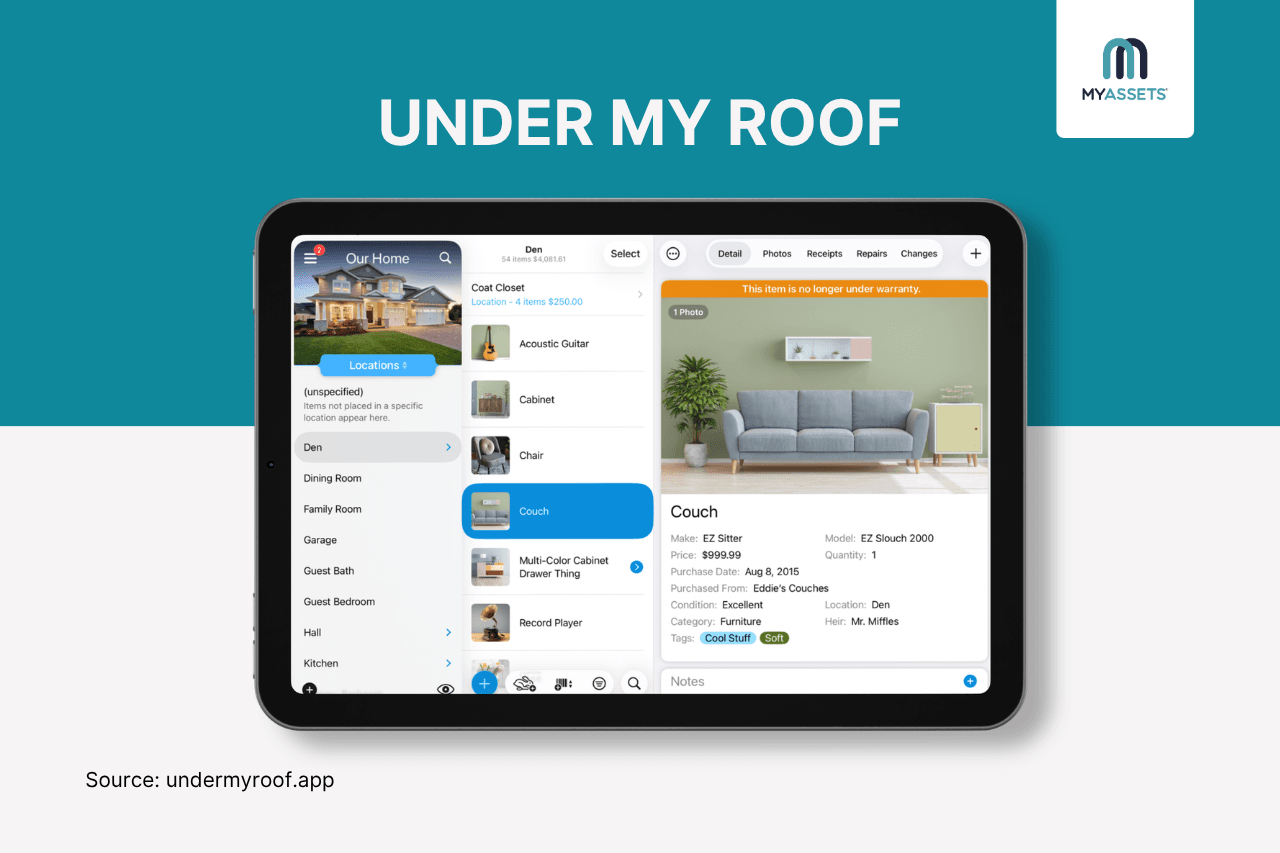
Under My Roof is a home inventory application that helps record details about belongings, including purchase and warranty information, photos, and serial numbers. It also lets users attach documents such as manuals and receipts, manage maintenance and repair records, and keep insurance and warranty information alongside their inventory.
Pros
- Lets users add items by scanning UPC, EAN, or ISBN barcodes and search the inventory using them.
- Offers voice-activated Quick Entry Mode, which allows users to add items by pointing the camera at them and speaking their names, while the app automatically captures photos and categorises the belongings.
- Supports maintenance and repairs by organising tasks, tracking completion dates and costs, and keeping a repair and maintenance history.
Cons
- Some features, such as Apple Intelligence photo analysis, only work on newer Apple devices and operating systems.
- The app is available only on iPhone, iPad, and Mac, with no Android or Windows version.
Free Plan: Yes (add up to 10 items)
Starting Price: $4.99/month
2. MyAssets
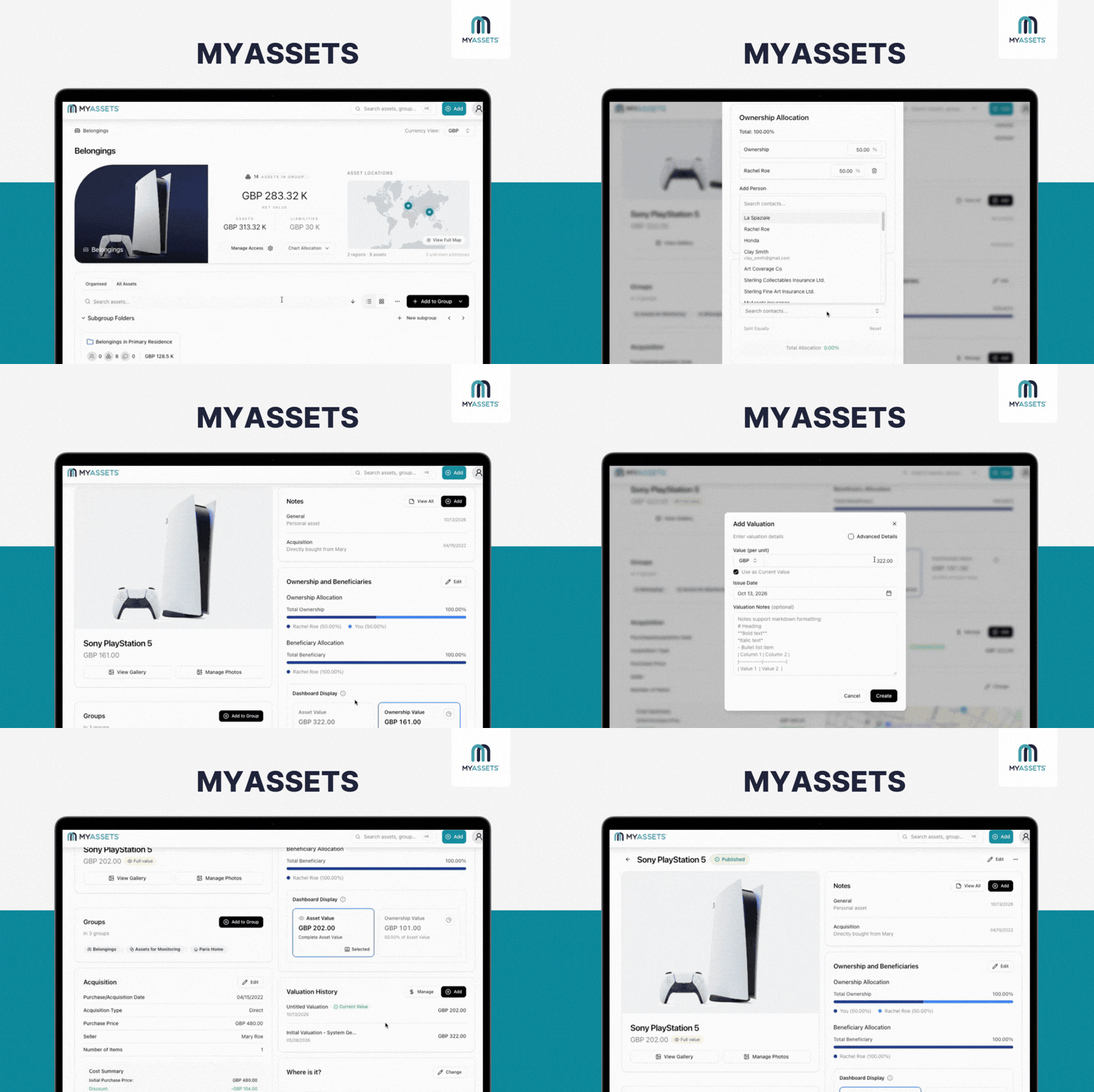
MyAssets is an asset management platform that excels in cataloguing home assets, including furniture, electronics, and other valuable possessions. For home inventory, it lets users create comprehensive records of household belongings, covering details such as:
- General Details - basic asset information, including its name, serial number, and invoice number.
- Location - the asset’s address and storage information, like where it is physically kept and who currently holds it.
- Valuation History - valuation details, such as the value per unit, inspection date, issue date, method, and who performed the valuation.
- Ownership and Beneficiaries - ownership structure and beneficiary details, including each beneficiary’s ownership percentage.
- Purchase/Acquisition Details - purchase information and transaction details, including the acquisition date, acquisition type, acquisition price, other costs, and discounts.
What’s more? Unlike a standalone home inventory app, it also connects these belongings with other assets, such as properties, finances, collectables, and investments, helping them find their personal net worth.
Pros
- Enables users to add agreements such as insurance policies and rental agreements and link them to the relevant belongings, keeping both pieces of information together.
- Gives the right people access to relevant asset information with Admin, Editor, or Viewer permissions.
- Keeps receipts, warranties, and other supporting documents attached to the relevant belongings.
- Lets users personalise how they organise their belongings in groups, whether by type, location, or other criteria that suits their needs.
Cons
- Does not offer a dedicated mobile app, but the platform can be accessed through a web browser.
- Includes asset management features that may be unnecessary for users who only want a basic household inventory.
Free Plan: Yes (add up to 25 assets)
Starting Price: $25/month
3. SaveOR
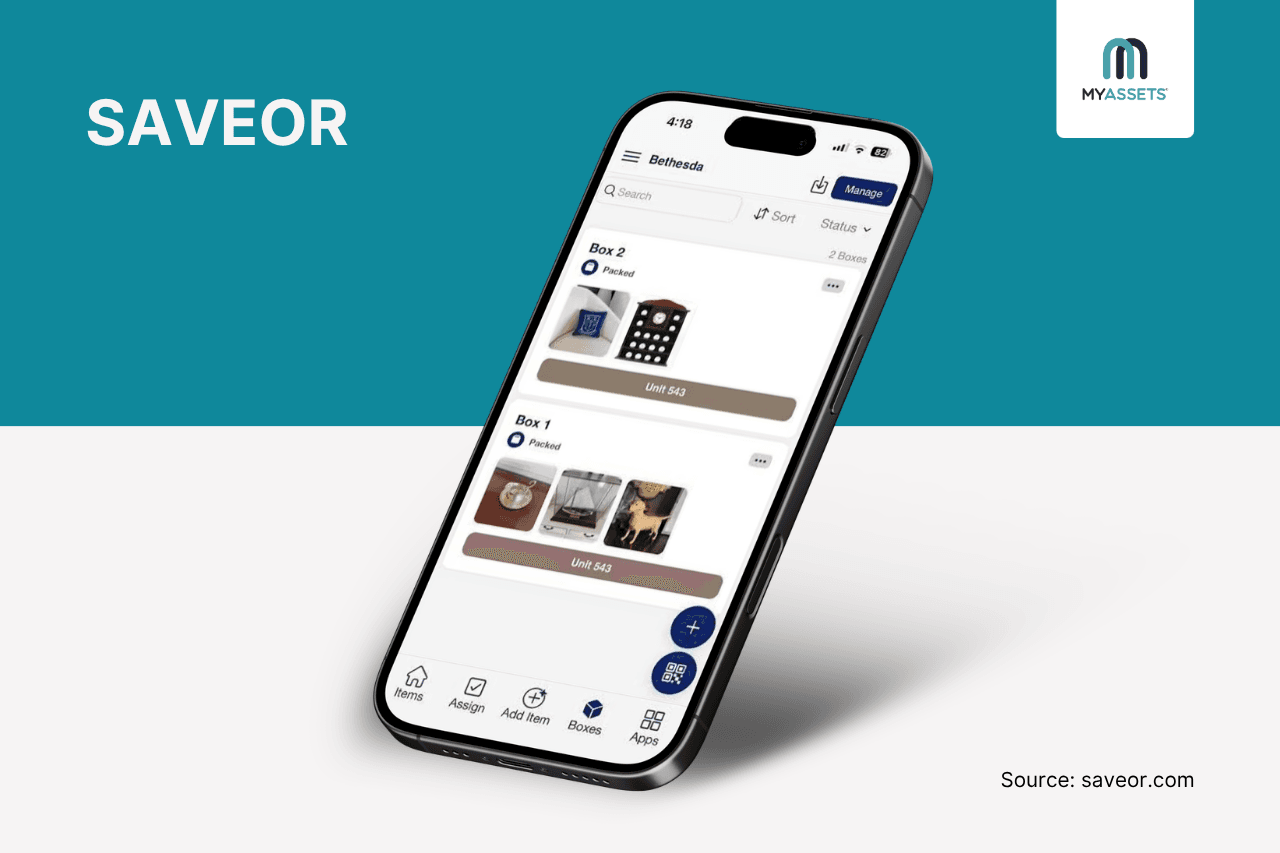
SaveOR is an AI-powered home inventory app that helps users quickly catalogue their belongings using photos. Its AI identifies items and automatically adds details such as names, categories, descriptions, and estimated values, turning photos into organised inventory records in minutes.
Pros
- AI provides estimated values and can find comparable items and sales data to help users understand what belongings may be worth.
- Users can share inventories with family members and professionals such as attorneys and move managers, with different access permissions.
- Supports QR-code tracking for boxes, allowing users to scan a box and see its contents without opening it.
Cons
- Requires a credit card to start its 7-day free trial.
- The AI may not always accurately identify niche items.
Free Plan: No, but it offers a free trial.
Starting Price: $69.99/year
4. Homezada
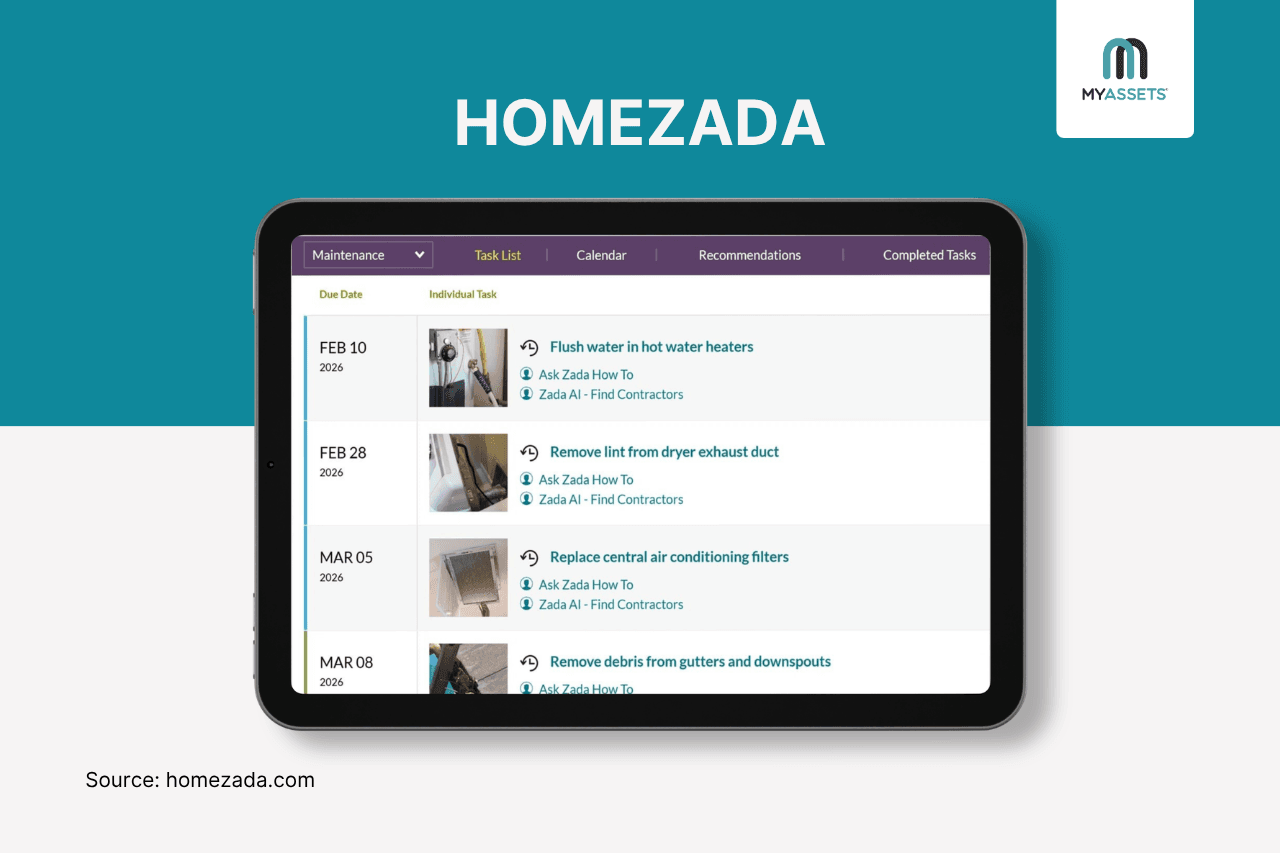
HomeZada is a home management platform that brings home inventory, maintenance, and finances in one system. It helps users store important details and documents to protect their belongings, schedule maintenance tasks to stay ahead of upkeep, and track home asset values and expenses to support financial decision-making.
Pros
- Brings home value, mortgage, equity, insurance, taxes, utilities, and other ongoing homeownership costs into one place.
- Provides maintenance schedules and reminders to help homeowners keep track of regular upkeep.
- Uses Zada AI to identify belongings from photos and create organised inventory records.
Cons
- Creating a detailed inventory requires significant initial setup.
- May offer more features than a basic home inventory needs.
Free Plan: Yes
Starting Price: $99/year
5. Housebook
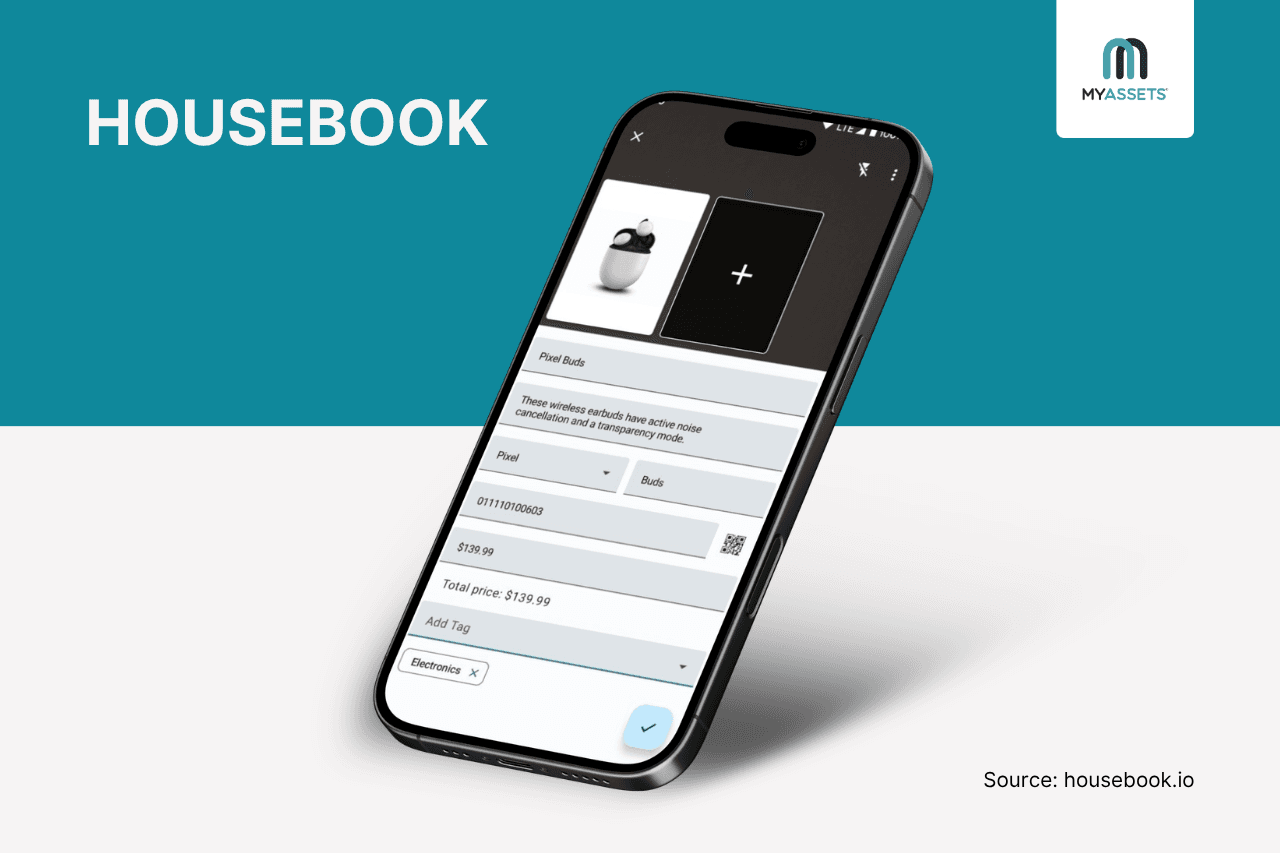
Housebook is a home inventory app that keeps physical assets in an organised, searchable inventory. By capturing a photo and tagging its location, the app helps users catalogue belongings and organise them by rooms and containers.
Pros
- Enables inventory data export for record-keeping or sharing.
- Lets users search for belongings using voice commands and find their recorded location.
- Supports photos, receipts, and item details that can help document belongings for insurance purposes.
Cons
- Adding items requires mostly manual input.
- The premium upgrade unlocks up to 400 items only, requiring users to buy extra item expansion packs (available in 100, 200, or 500 increments) at an additional cost.
Free Plan: Yes (add up to 200 items)
Starting Price: $9.99 (one-time purchase)
6. Nestegg
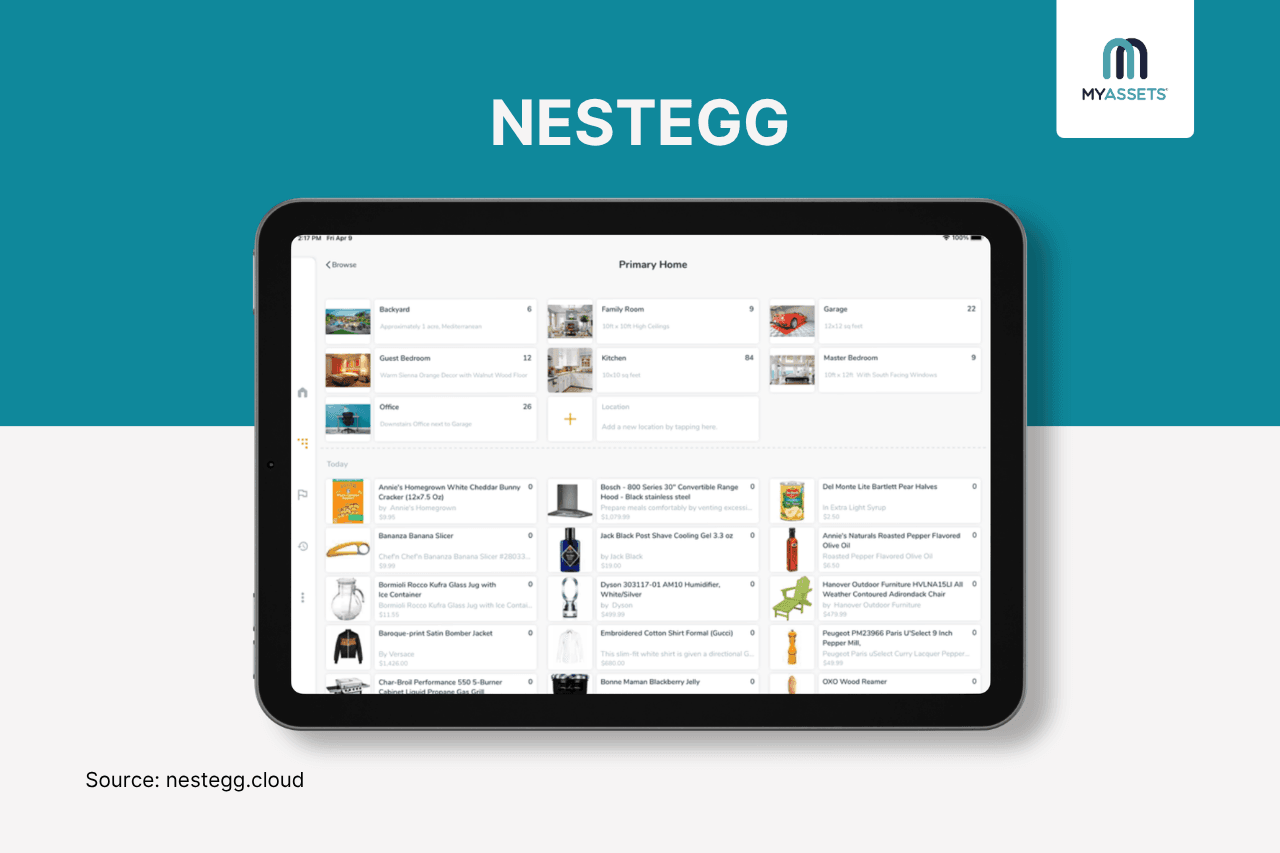
Whether used for insurance claims, pantry management, collection tracking, or estate planning, Nest Egg is a personal home inventory software that lets users create a digital record of their everyday items. By snapping photos or scanning barcodes, the app fetches product data such as titles, descriptions, and estimated values, then builds an itemised list of belongings.
Pros
- Keeps a record of items lent to others and sends alerts when they are due back.
- Stores manuals, receipts, voice memos, and other documents to keep detailed records.
- Tracks warranty expiry dates and sends alerts before coverage ends.
Cons
- Primarily designed for individual use rather than multi-user collaboration.
- Features such as CSV import, Dropbox support, attachment support, and passcode protection are offered as separate in-app purchases.
Free Version: Yes (add up to 25 items)
Starting Price: $6.99/month
7. ClaimsReady
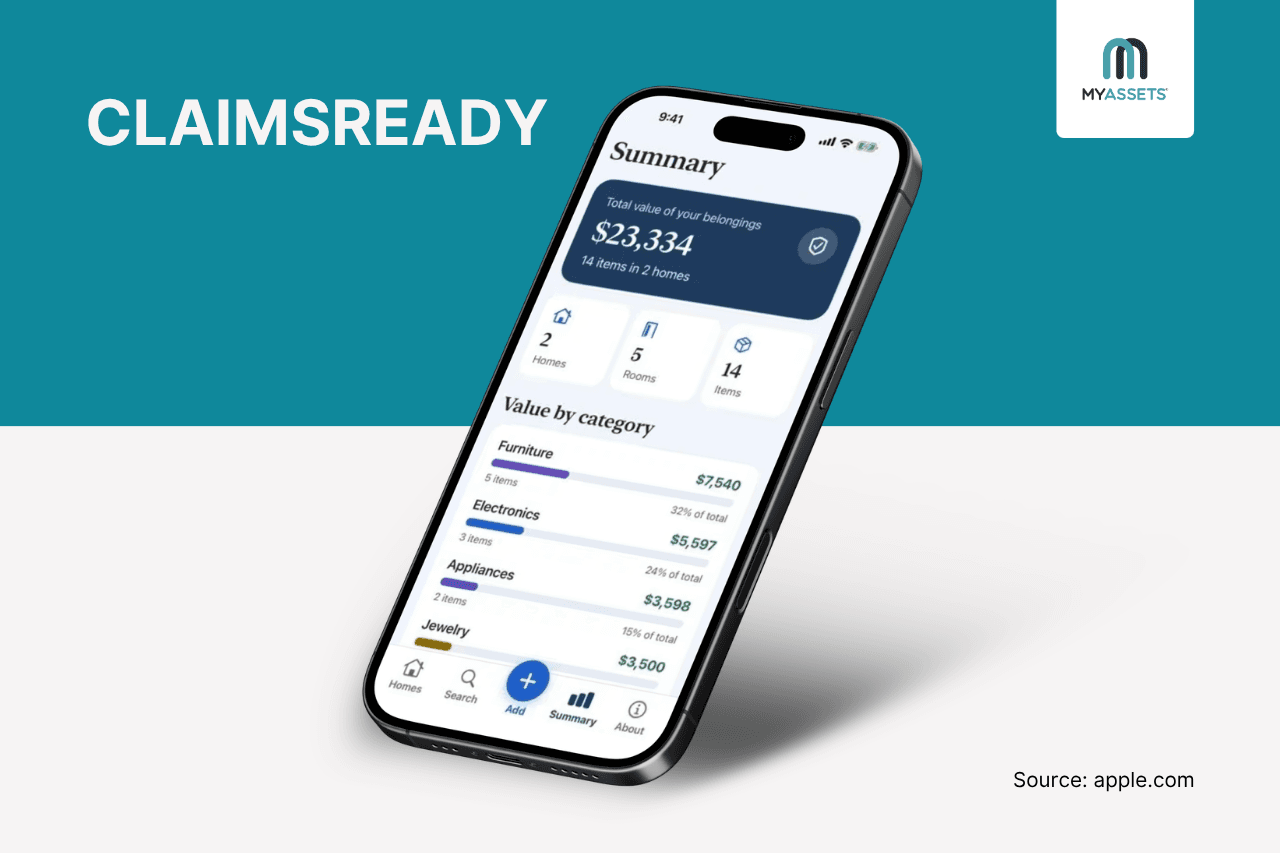
ClaimsReady is a home insurance inventory app designed to document users’ belongings for insurance and other record-keeping purposes. It lets them capture each room and item with photos, videos, and detailed records, allowing them to prepare for potential insurance claims and keep proof of ownership organised and accessible.
Pros
- Allows users to capture room videos as additional evidence of household belongings not included in the itemised inventory.
- Generates PDF inventory reports that can be shared with an insurance agent.
- Provides a summary of the total value of belongings, broken down by category and the value of items within each category.
Cons
- Inventory data is stored locally on the device rather than on external servers, so users need to manage their own backups or exports.
- Only available to Apple users with devices running iOS 18.6 or later.
Free Plan: Yes
Starting Price: $4.99 (one-time purchase)
Which Home Inventory Software is Best For Your Household?
A complete home inventory software can do more than record what is in the home. It can keep proof of ownership organised for managing insurance claims, preserve important details about high-value belongings, and provide a record that can help account for items during a move.
With different apps offering different ways to create, organise, and manage an inventory, the right choice depends on the features that best match the household’s needs.
Here’s a quick look:
| App | Best For | Key Feature | Free Plan | Starting Price |
|---|---|---|---|---|
| Under My Roof | Home inventory management | Voice-assisted item entry, barcode scanning. | Yes (add up to 10 items) | $4.99/month |
| MyAssets | Home management and personal asset management in one app | Detailed asset records with valuation and documents, asset linking, agreements, delegates. | Yes (add up to 25 assets) | $25/month |
| SaveOR | Home inventory | AI Photo Recognition, QR code box tracking, collaboration. | No, but it offers a free trial. | $69.99/year |
| HomeZada | Household management | Finance and equity tracking, AI Photo Recognition, maintenance and repairs. | Yes | $99/year |
| Housebook | Easy home inventory search | Voice command item search, data export, camera entry. | Yes (add up to 200 items) | $9.99 (one-time purchase) |
| Nestegg | Home inventory management | Lending and borrowing tracker, warranty and expiry tracking, photos and attachments. | Yes (add up to 25 items) | $6.99/month |
| ClaimsReady | Home insurance inventory | Video walkthrough, PDF generation, value summary. | Yes | $4.99 (one-time purchase) |
Whichever option is chosen, keeping household belongings, values, and supporting information in a centralised system makes it efficient to keep track of what is owned and access important details when they are needed.
Inventory App for Home: Frequently Asked Questions
1. What are the best home inventory apps for insurance?
Examples of home inventory apps for insurance include ClaimsReady, Under My Roof, SaveOR, HomeZada, and MyAssets, which offer tools for documenting belongings, values, photos, and proof of ownership.
2. How to choose a reliable home contents inventory tool?
Look for a home inventory tool with features such as detailed item records, document and photo storage, and valuation tracking, while considering what best fits the household’s specific needs.
3. Can I use Excel for inventory management?
Yes, Excel can be used for inventory management, but a dedicated inventory app offers more convenient features for storing photos, documents, and other item details.
MyAssets: The Home Inventory Software for Keeping Every Item Accounted For
Keeping track of everything in a home, from household belongings and valuables to receipts, warranties, and other important documents, can quickly become a challenge. With so many details to record and maintain, it raises the question: is there a better way to manage them all in one place?
Introducing MyAssets, a complete asset management platform designed to organise all your home assets across six categories in one place:
- Finances: connect bank accounts, monitor investments, and track financial assets.
- Real Esate: view macro- and micro-level property details, including locations, associated assets, liabilities, and net value.
- Collectables: track and organise the value of collections across different collectable types.
- Belongings: track belongings, such as jewellery, furniture, cars, etc., and their locations.
- Agreements: organise and link loans, mortgages, rental leases, and insurance policies as Agreements on the platform.
- General Assets: add tangible assets to the platform without sorting into existing categories.
Together, MyAssets create a structured view of everything owned and owed, from the overall portfolio down to individual details.
Organise Everyday Items Around Your Needs
Not every household organises belongings in the same way. One person might prefer grouping items by room, while another may want to separate everyday essentials from sentimental items. MyAssets lets you create groups and apply your preferred labels, so you can organise belongings in a way that makes sense for your household.
For example, belongings could be grouped by:
- Life Stage: Items To Keep, Sell, Donate, or Pass Down.
- Location: Home, Storage Unit, Property Abroad.
- Ownership: Personal, Shared, Family.
- Purpose: Everyday Use, Work, Hobbies, Outdoor Activities.
- Room: Living Room, Kitchen, Bedroom, Home Office.
- Value: High-Value Items, Collectables, Everyday Belongings.
Connect Contacts to Assets
Tracking who manages, owns or is connected to a particular asset can become another layer of life admin.
MyAssets’ Address Book keeps these relationships organised by allowing users to upload contacts and link them directly to any asset entry. This makes it efficient to identify the right people for each asset and keep relevant contact information alongside the asset details.
Keep your home assets documented, organised, and connected. Try MyAssets for FREE.



