

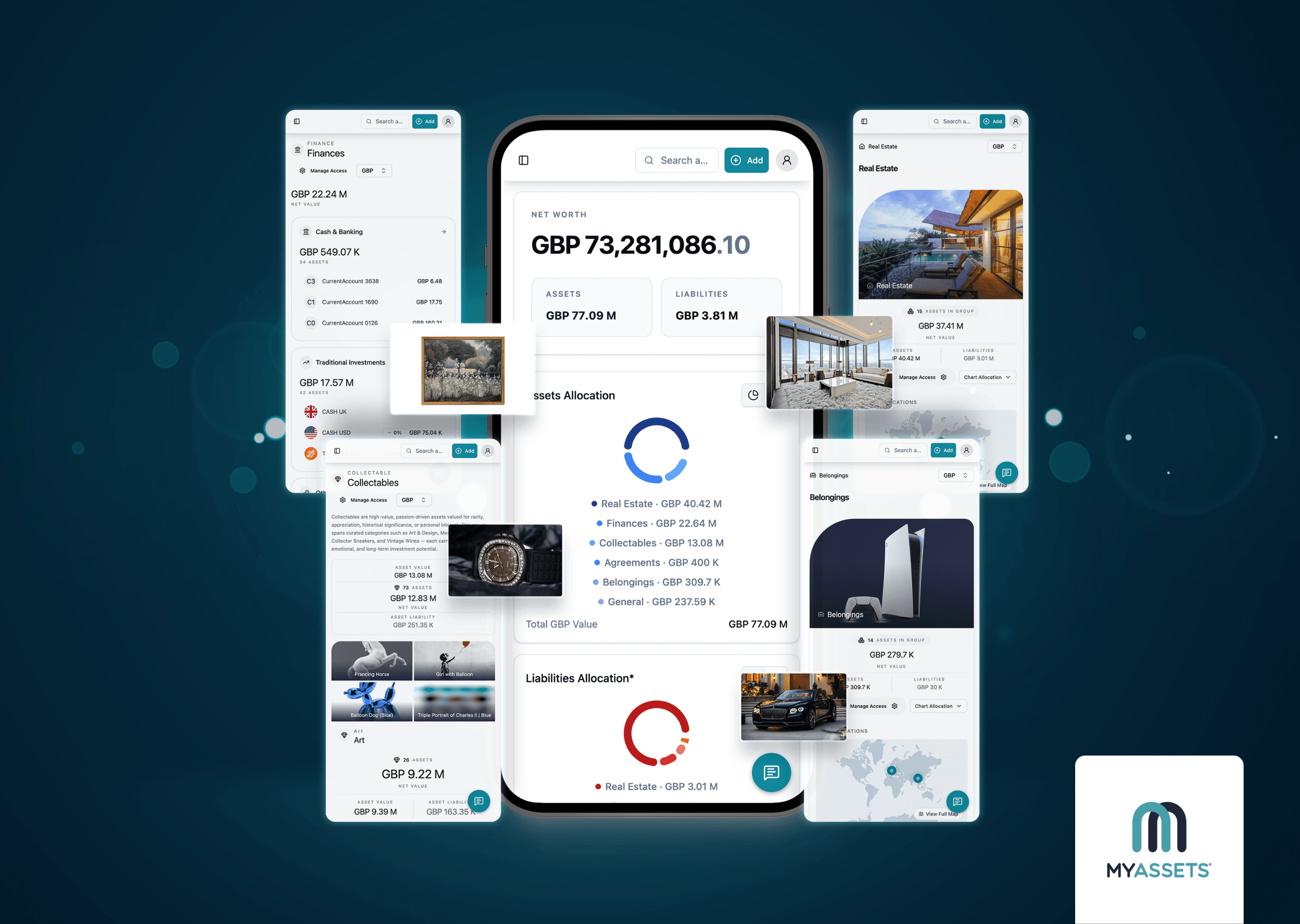
People often spread their assets across different platforms, spreadsheets, and paper records. If you know what we’re talking about, then you know this makes it hard to get a complete picture of what you own.
This is the trouble with existing software products that MyAssets cofounder Tom Hall has pointed out: “While there are countless solutions handling aggregated bank accounts, investment portfolios and underlying publicly quoted equities, bonds and mutual funds to varying degrees of sophistication, we identified that there was a significant gap for managing this plus everything else – until now.”
The founders of MyAssets pinpointed this one crucial flaw in many of the products they previously used: There was not one solution that allowed users like them to organise and manage assets across different classes and categories in a central platform.
This is where MyAssets comes in. So what sets MyAssets apart from the rest
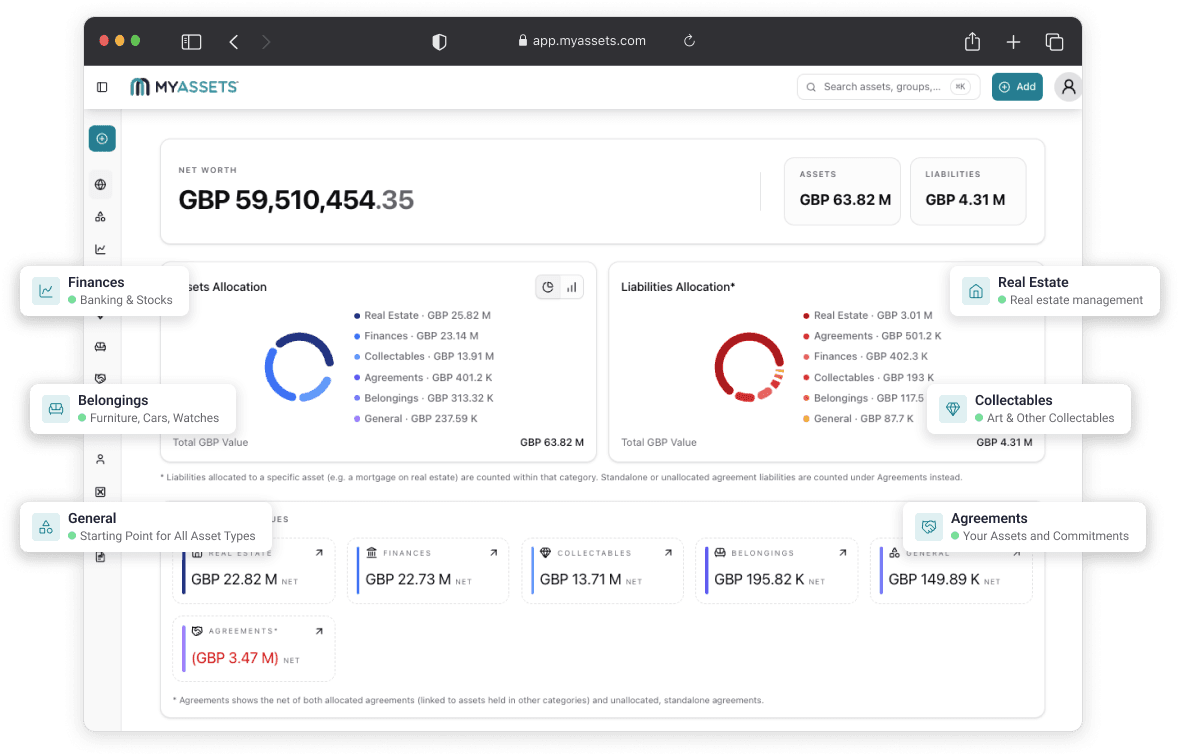
MyAssets is a complete asset management app that can house all your assets in one secure platform. Whether you’re an investor looking to aggregate your portfolios, a lifetime art collector seeking a visual gallery for your precious collectables, or even a property owner juggling several real estate assets – MyAssets is for you.
Why use MyAssets?
MyAssets is more than just a collection of scattered spreadsheets or a basic asset database, which is what many users have used to attempt tracking their assets.
MyAssets offers a comprehensive creation modal that allows you to build complete profiles on each of your assets – from financial accounts and properties to everyday belongings and rare collectables.
We’re dedicated in our vision of creating a complete asset management platform with MyAssets, and as many of you know, managing assets doesn’t stop once you add these valuables on the platform.
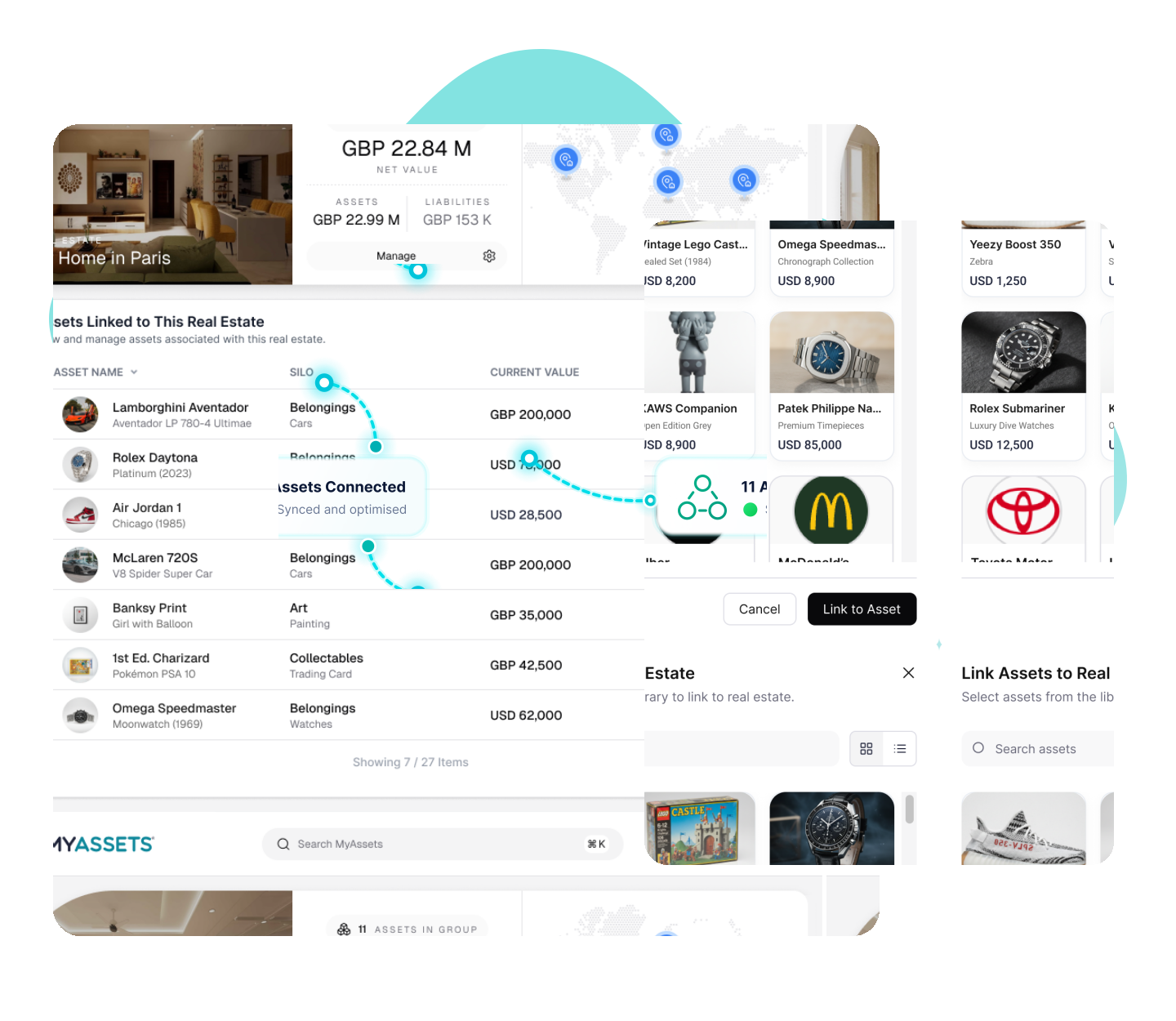
MyAssets’ other features further enhance this asset management functionality, one of which is the Smart Asset Linking. The Smart Asset Linking feature allows you to interconnect assets and liabilities to each other across different categories, as well as other key information.
For example, you can link a Mortgage Agreement from Agreements to a residential property in Real Estate. Key contacts, such as bank institutions and the property beneficiaries or shareholders, can be linked to the property.
This gives users a full view of their assets and the connections between them, giving users insight into how assets relate to each other and impact the total net value.
Because there are so many ways to use and maximise the features of MyAssets, we understand that it can be a little intimidating when new users first start building their account. Our Free Plan gives you a glimpse into how the platform works, allowing you to add up to 25 assets across all categories. Once you are more familiar with MyAssets, getting the Premium Plan enables you to add as many assets as you want, giving you the full benefits of using the platform.
Whether you are just starting with a Free Plan, or you’re now an experienced user with a Premium Plan, our guide below will help you have a better understanding of how each of the newly enhanced asset categories in MyAssets works.
What’s New: From Past (2024) to Present (2026)
Since the beta launch of MyAssets in 2024, the platform has grown in leaps and bounds. In the last two years, we have streamlined and refined MyAssets' features so it more seamlessly addresses your needs and preferences.
While its fundamental purpose remains the same (i.e., to be your complete asset management solution), its enhancements since the beta version may make it feel like a completely new platform.
Here’s a timeline of significant changes from the beginning of the beta launch to the current iteration of the platform:
2024
- Users registered with a 14-day free trial for their account, after which they would be required to subscribe to continue using the platform.
- Four main categories were launched: MyFinances, MyProperties, MyCollectables, and MyBelongings.
- The Delegates feature was introduced.
- The Groups feature was introduced.
- Basic Export function for categories was enhanced.
2025
- The Manage Group feature was enhanced.
- The Bulk Import functionality for Art, Other Collectables, and Belongings was introduced.
- Traditional Investments was launched.
- Other Investments was launched.
- Account capacity was increased to 15 GB.
- All prompts and modals were improved for mobile web experience.
- Platform interface and design were improved.
- All asset creation forms were redesigned.
2026
- The Free Account (with its 25-asset limit) replaced the 14-day Free Trial.
- All asset creation forms were enhanced.
- The General category was introduced.
- The Agreements category was introduced.
- The Ledger feature was introduced.
- The Groups feature was enhanced with three built-in subcategories: Silo, Custom, and Location.
- The Reports feature replaced the Export functionality.
- The CSV Bulk Import feature replaced the Bulk Import functionality.
- Categories were rebranded: Finances, Real Estate, Collectables, Belongings, General, and Agreements.
This is just a glimpse into the work that has gone into developing and improving the platform, but it’s a clear indication of the direction we are headed: creating a seamless and frictionless asset management experience for our customers.
Coming Up: How to Use MyAssets
This is the first of three articles that will walk you through the “new” MyAssets. Whether you’re a long-time user of the platform or a new customer of ours, we think that this set of articles can greatly help you to better understand the inner workings of our platform.
Read the next article to learn how you can leverage the six main categories of MyAssets.


