

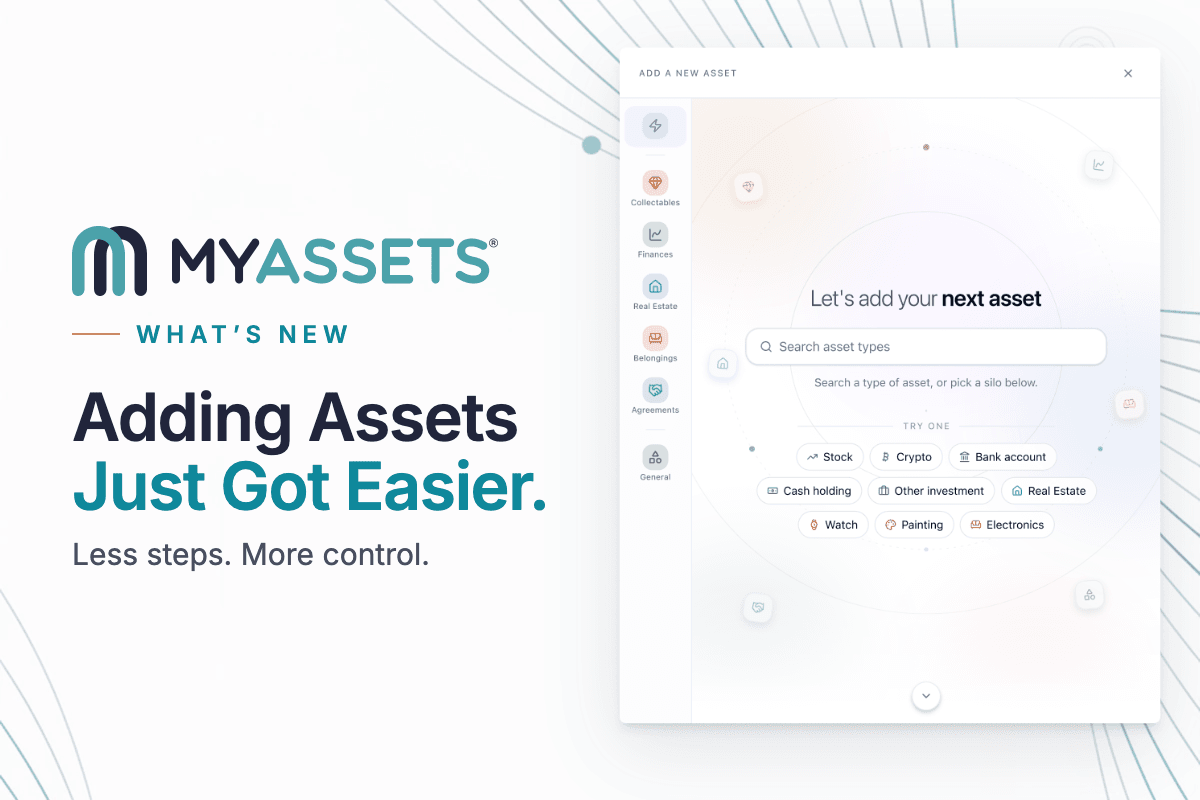
This release contains feature enhancements, bug fixes, and interface redesigns, most notably highlighting the new look and experience of our Add Modal.
Add Modal Redesign and Enhancements
The Phased Search Intelligence for our Add Modal organises the silos with searchable categories and dynamic animations. This reduces onboarding friction and teaches new users how to use each category.
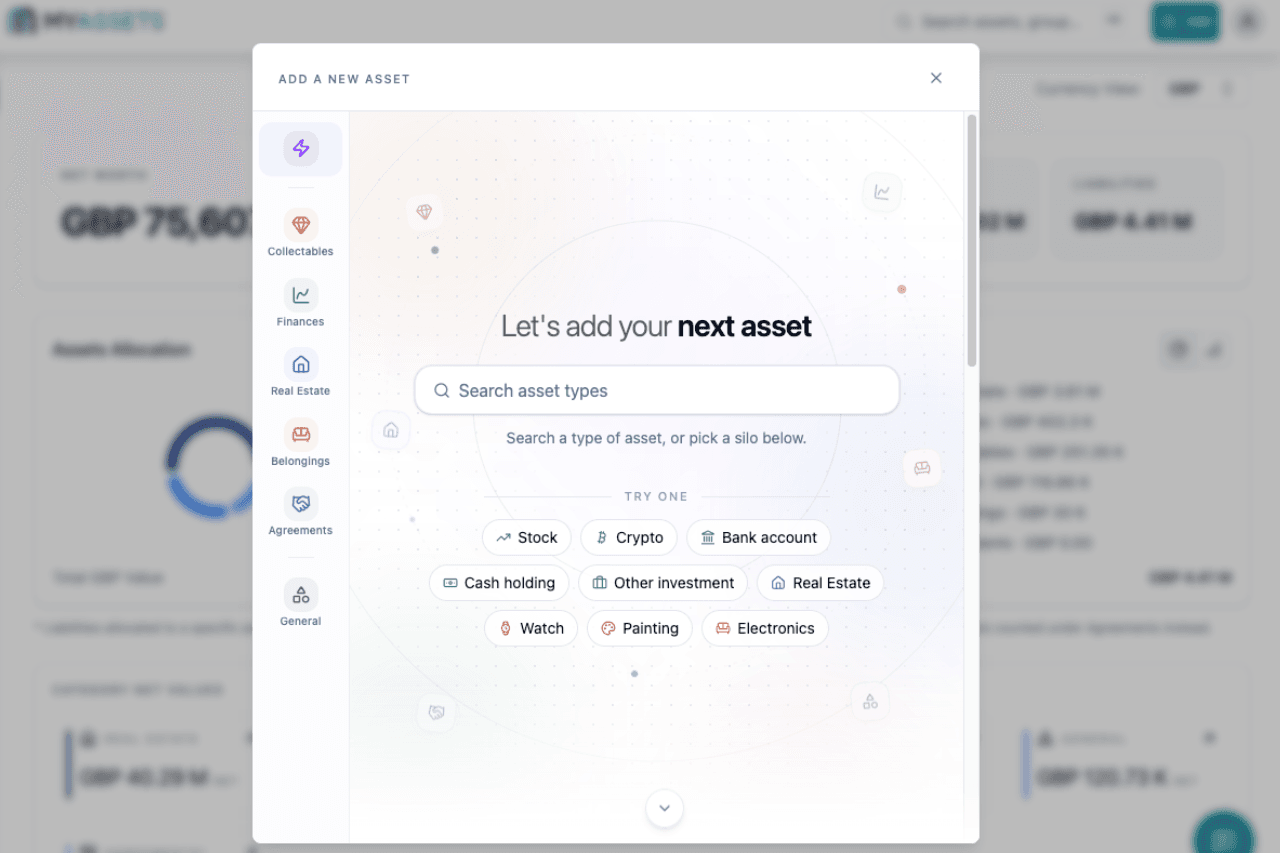
Here’s a rundown of how to use the new modal:
- Select the Add button.
- Select the relevant silo or asset type by doing any of the following:
- Search the asset type in the search bar.
- Select the relevant asset types in the samples previewed on the page.
- Select the relevant silo on the left panel.
- Fill in the details of the asset.
- Select Create.
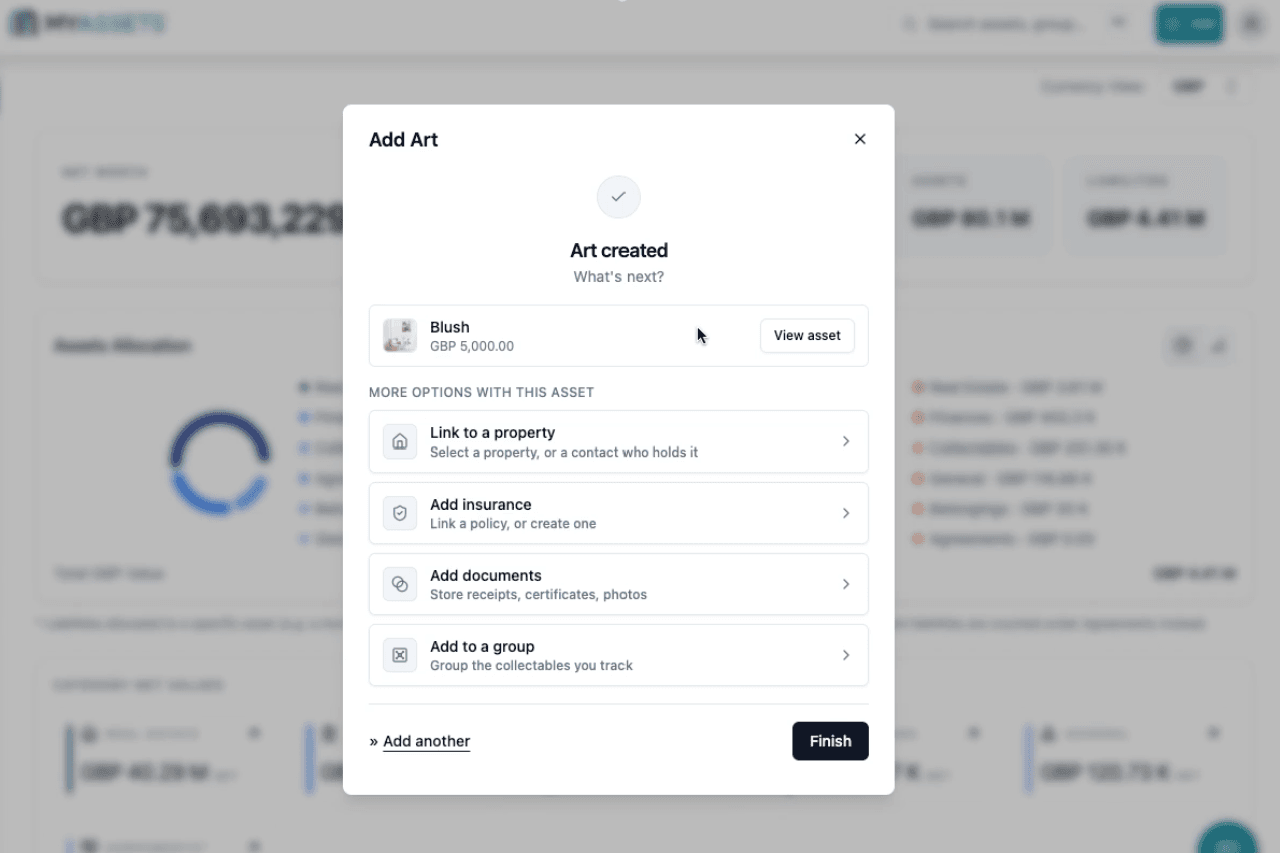
Users are automatically redirected to the “What’s next?” modal after adding a new asset. Users are then given up to four options to further build on this asset’s profile: link to a property, add documents, add to a Group, or add insurance. If users prefer to skip this step, they can choose to view the newly added asset or select “Finish” to end the asset creation process.
Naming Standardisation
- User interface labels have been rebranded to the following: General, Finances, Real Estate, Collectables, Belongings, and Agreements.
Agreements Fixes
- The original principal for Loan and Mortgage Agreements is now labelled as the Initial Balance valuation at the effective date. Meanwhile, the outstanding balance remains labelled as Current.
- Linking multiple assets to an existing agreement with a liability split is now enabled.
- The “split by value” for the Liability Split feature is disabled for assets with no value, while new assets show “not yet allocated" instead of 0.00%.
Unit Cost Tracking and Catalog Card Enhancements
- There are now flexible tracking options supporting single-added items or batches across specific asset types. This is automatically adapted into the Acquisition widget based on selected record details or average costs.
- Catalog cards in Collectables now have customised background images or dynamic colours based on asset types.
Reports Improvement
- Users can now configure image sizes as small or large for Asset Summary-type Reports.
Log in to your MyAssets account to explore these improvements firsthand. If you don’t have an account yet, create your free account and experience a new way of adding and managing your assets.


