Home management goes beyond chores like cleaning the kitchen or taking the bins out. There are bills to pay, insurance policies to renew, documents to store, maintenance to arrange, and a growing list of bank accounts to track. What begins as a quick five-minute task snowballs into a relentless mental checklist, leaving even the most organised households feeling constantly behind.
The scale of this burden is bigger than most realise. According to the Office for National Statistics, UK adults spent an average of 2 hours and 38 minutes a day on unpaid household work. This figure includes household administration, such as paying bills and managing the responsibilities in running a home, highlighting how much work happens behind the scenes to keep everyday life organised.
And it’s not just the tasks themselves that need managing; the information behind them can be just as difficult to keep organised. Task information can end up scattered across different sources, such as:
- Checking banking apps for upcoming or completed payments.
- Looking through notes for reminders about repairs and home maintenance.
- Opening calendars to find insurance or subscription renewal dates.
- Searching emails for credit card bills and payment confirmations.
All things considered, home admin can become another job in itself. This is where the best life admin apps can help –bringing key tasks, reminders and household information into a more organised system.
But with different apps designed for different aspects of life admin, this begs the question: what is the best household management app for you?
Luckily, this article explores life admin apps for different aspects of home management, including task management, scheduling, budget tracking and document backup.
- What is a Life Admin App?
- How Can Life Admin Apps Support Home Management?
- 10 Best Life Admin Apps for Managing Your Home
- Roost
- Lyfeguard
- MyAssets
- FamilyWall
- Quicken LifeHub
- Morningmate
- Emma
- Cozi Family Organizer
- Clutterfree
- Any.do
- Bring Home Management And Admin Life Into One App
- Home Life Admin: Frequently Asked Questions
What is a Life Admin App?
A life admin app is a tool designed to help organise and manage tasks, information, and responsibilities to keep a person’s admin life running. It reduces the mental clutter of life admin by bringing routine chores, important dates, reminders and paperwork into an organised space.
Common Features of a Life Admin App
Depending on the app, features include:
- Dashboard: view a summary of key information relevant to the app’s focus.
- Document Storage: store digital copies of important documents.
- Asset Catalogue: record financial accounts, property records, collections, household items, and more.
- Reminders: set reminders for upcoming tasks, deadlines, and events.
Whether managing family tasks, home admin, or personal to-dos, these features help organise and plan life admin in one place, reducing the need to remember and manage everything mentally.
How Can Life Admin Apps Support Home Management?
Behind every well-managed home is a constant stream of planning, scheduling and paperwork needed to keep household responsibilities organised. This is where life admin apps can play a vital role, providing a system to organise these tasks and information in one place. Key areas of support include:
Setting Reminders for Renewals and Deadlines
As part of the planning process involved in life admin at home, keeping track of renewals, deadlines and recurring responsibilities is essential. These can include:
- Car insurance renewals
- Home maintenance and repair schedules
- Mortgage or rental agreement dates
- Passport renewal
- Tax return and payment deadlines
- Vehicle Ministry of Transport and servicing dates
Trying to remember all these dates mentally can increase the risk of missing an important deadline. Setting reminders in a life admin app can provide timely prompts for upcoming renewals, appointments and payments, keeping these responsibilities on schedule.

Tracking Household Finances
Aggregating household finances is challenging, especially when individuals manage expenses and financial accounts across different platforms. This can involve:
- Credit card balances and payment dates.
- Electricity, water, gas, and internet bills.
- Household expenses like groceries.
- Mortgage or debt payments.
- Streaming, phone and other subscriptions.
Without a consolidated view, it is easy to lose track of bills, subscriptions, recurring expenses and overall household spending. A life admin app organises and categorises regular payments, while tracking income, savings, expenses and debts, giving a clearer view of household finances for budgeting.
Storing Vital Documents
Looking for an appliance’s warranty information? Important documents such as warranties, receipts, insurance policies, property records and manuals are often needed long after they are received. This makes document storage essential, as remembering where it is stored is unnecessarily time-consuming.
The best life admin apps provide a dedicated space to store, organise and access vital documents, keeping records readily available for renewals, claims, repairs and other home-related needs.

10 Best Life Admin Apps for Managing Your Home
From managing household finances to organising documents, schedules and everyday responsibilities, the right life admin app can bring key areas of home management into one dedicated platform. Here are some of the best options to consider.
1. Roost – for renewals and insurance claims
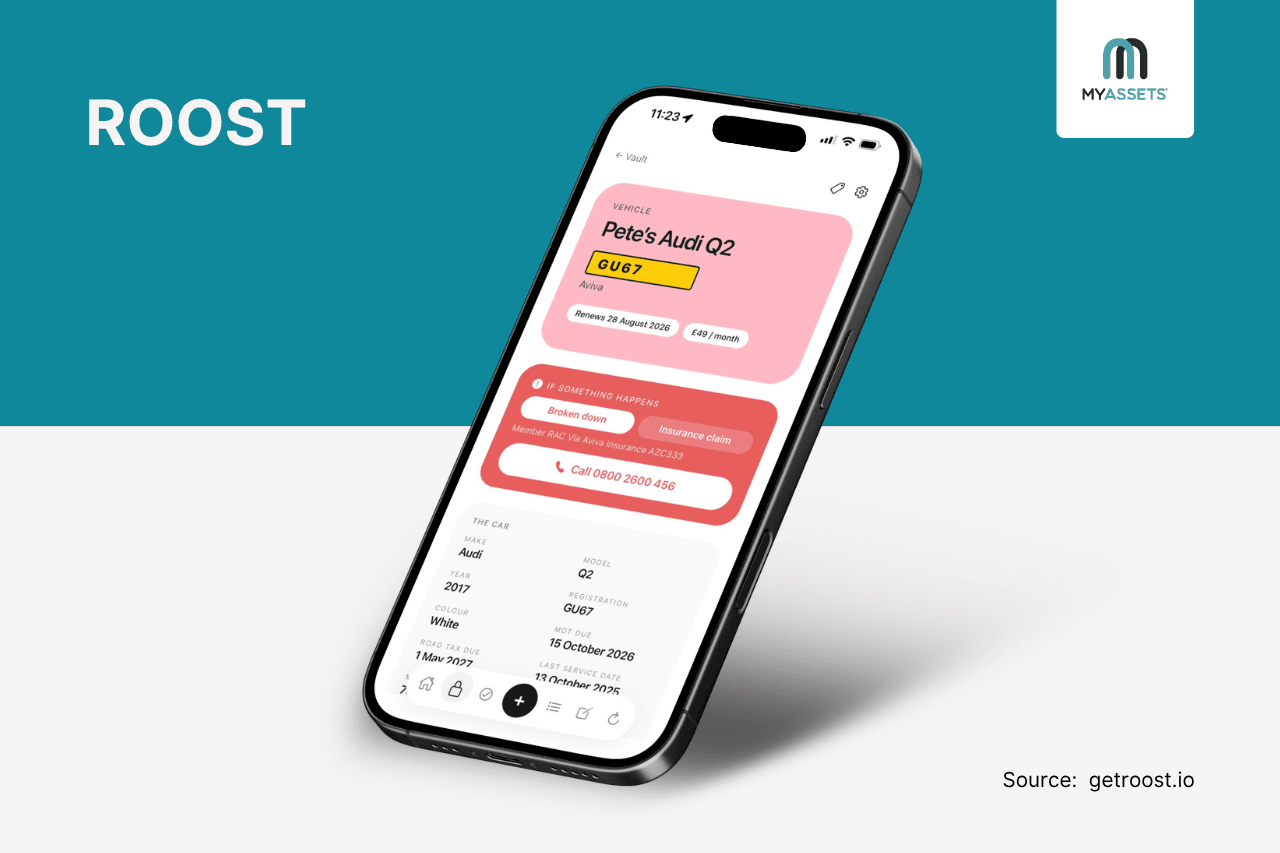
Roost is a home admin app that combines household records, renewal dates, tasks, notes, lists, and routines in one app. From insurance policies and utilities to vehicle records and maintenance, it keeps essential information accessible and upcoming tasks scheduled.
Pros
- Provides an “If X happens” section for every Vault item, keeping emergency numbers, policy references and essential next steps readily accessible.
- Sends push reminders 30, 14, 7 and 1 day before renewals, helping users stay ahead of MOTs, insurance, passport expiry, warranties and subscriptions.
- Users can photograph documents, such as insurance policies, and Roost can extract details including the provider, policy number, renewal date and claims number, reducing the need to enter each detail manually.
Cons
- It does not support budgeting or financial management features.
- No native Android app, although the web version is accessible on Android.
Free Plan: Yes (add up to 10 items per section)
Starting Price: £5.99/month
See More: The Best Insurance Management Software For Tracking Multiple Insurance Policies
2. Lyfeguard – for home and document administration
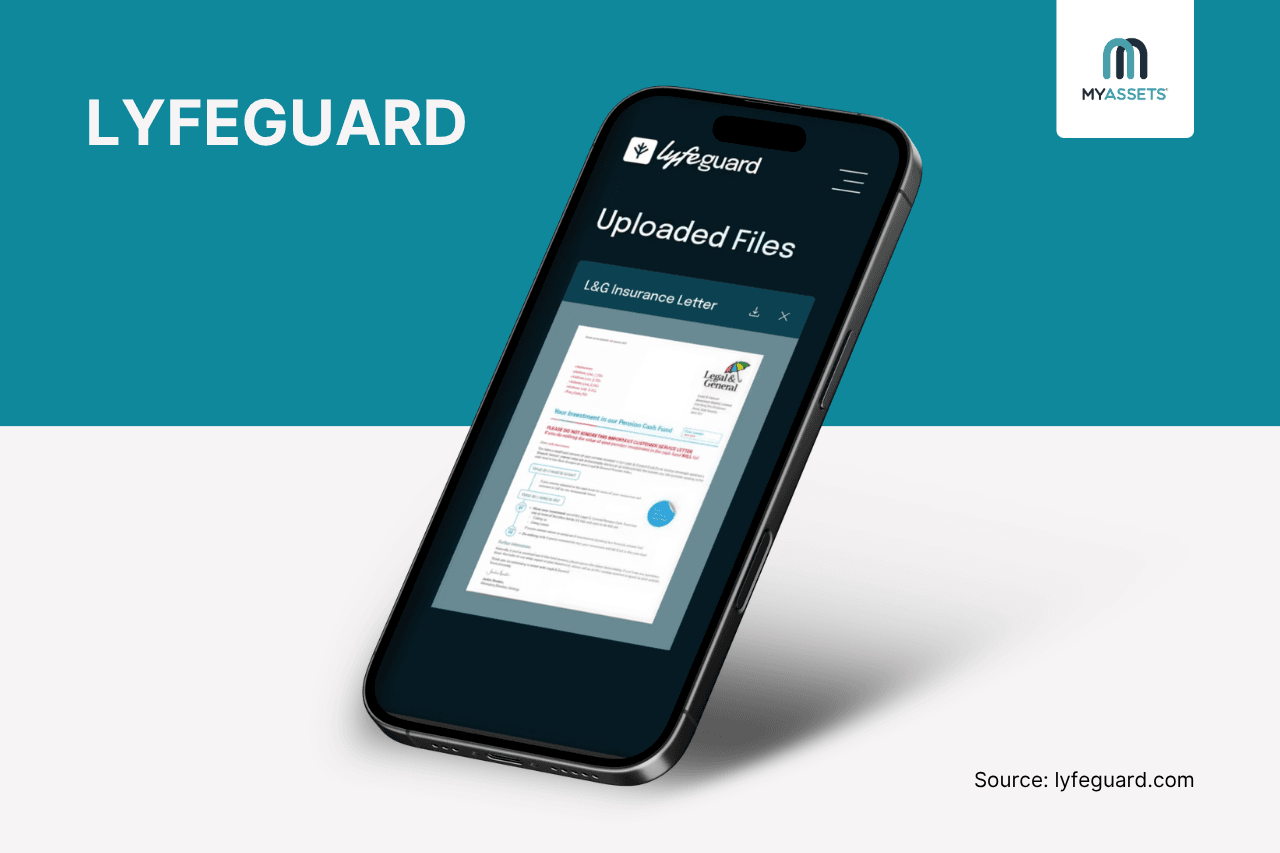
Lyfeguard is a platform that centralises fragmented information, including financial accounts, legal documents, property details and family contacts, in one space. This creates a single place to store, manage and access important information for everyday life admin.
Pros
- Helps users connect financial accounts to view their net worth, balance sheet and wealth allocation across cash, property, pensions and investments, while tracking changes over time.
- Offers a digital vault that stores and organises legal papers, wills, birth certificates, property details, and financial accounts in one space.
- Provides timely alerts for upcoming expirations, renewals and other important deadlines.
Cons
- Financial integrations are geared towards UK users, limiting its usefulness in other markets.
- Users need the Pro plan to access all six LyfeHubs –personal, financial, property, digital, health, estate & legacy.
Free Plan: Yes (access 2-6 LyfeHubs)
Starting Price: £4.99/month
3. MyAssets – for managing family assets
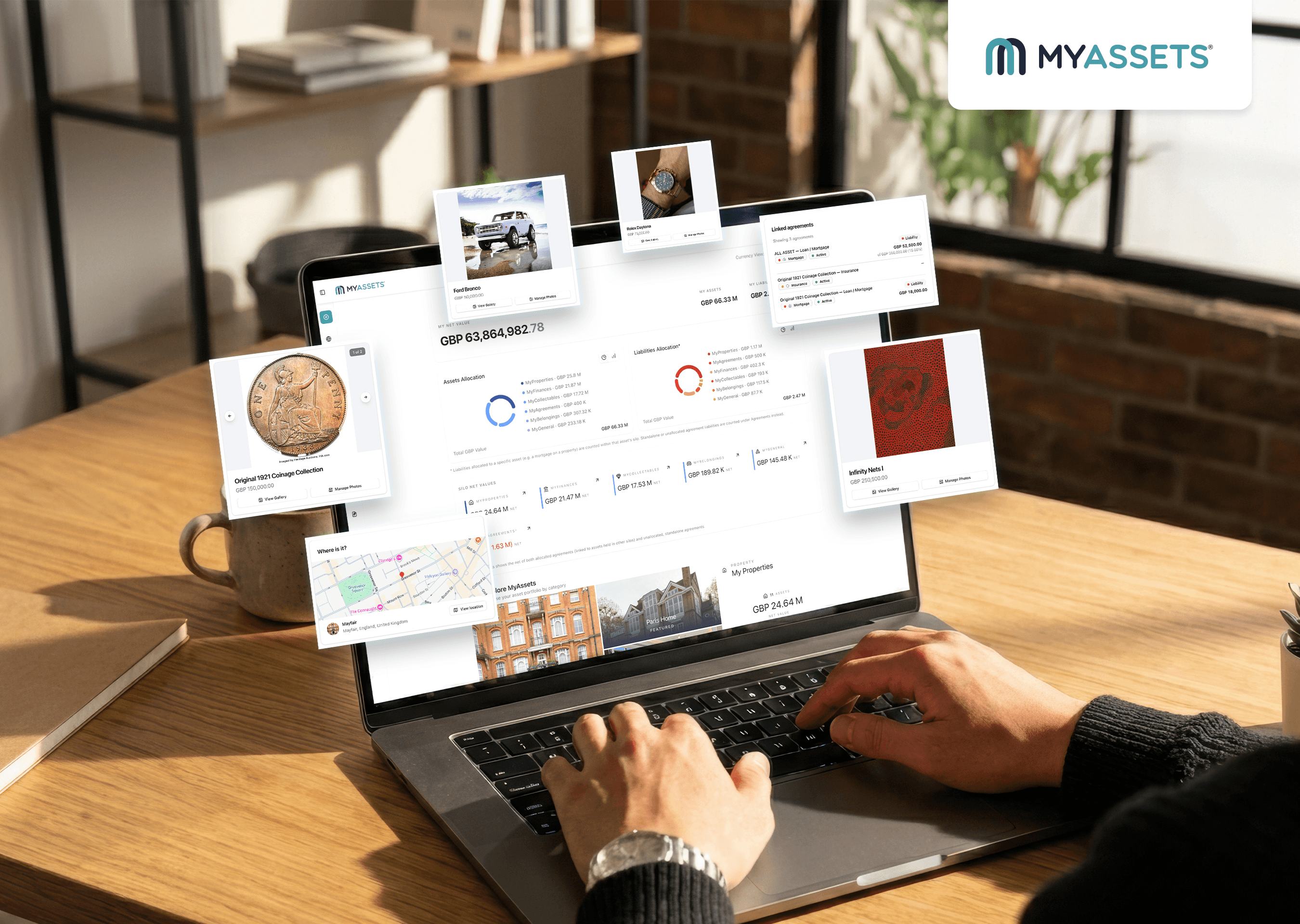
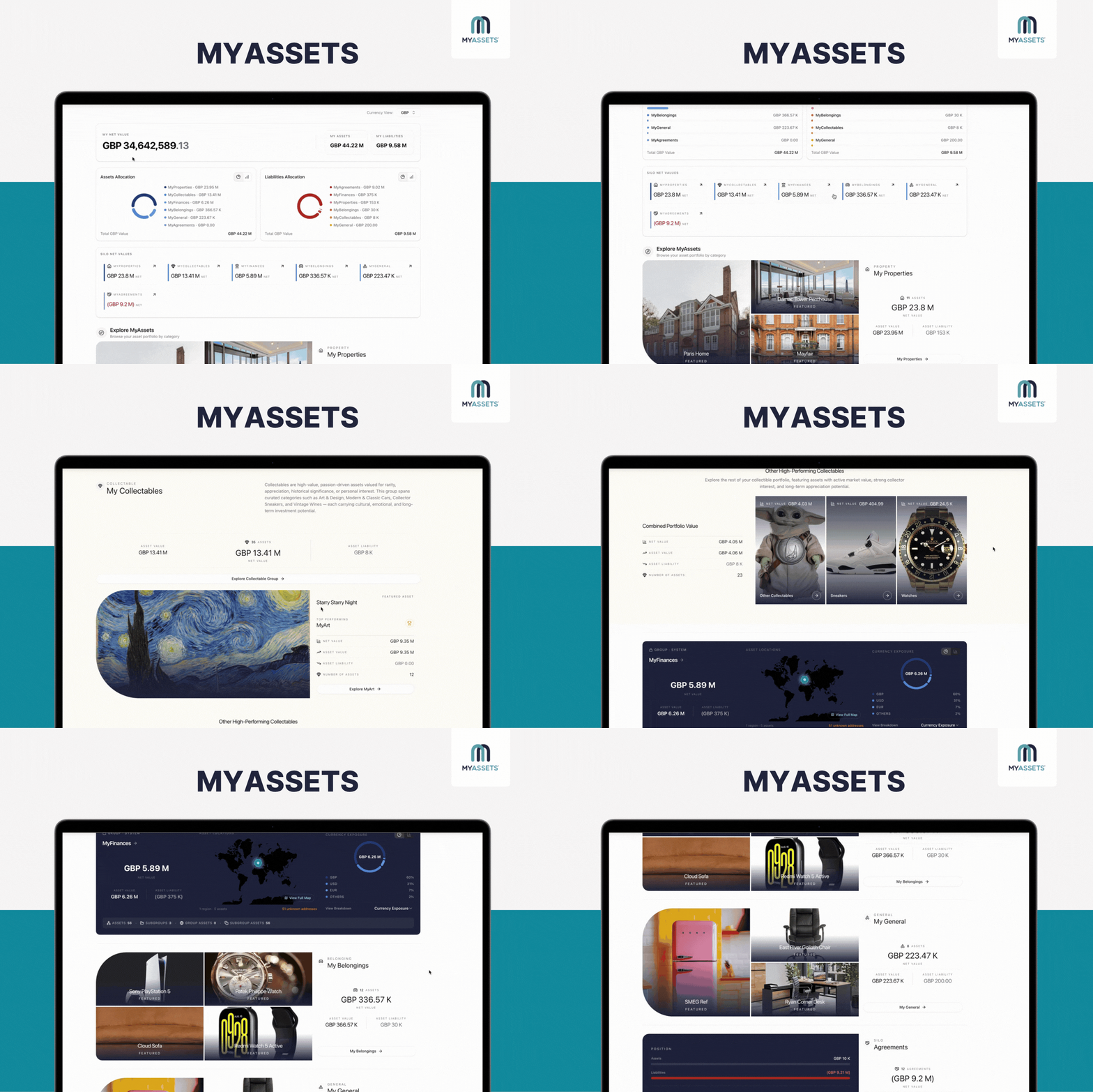
Looking for an app to help manage assets? MyAssets offers a comprehensive asset management platform to help users organise every corner of their lives –from finances and properties to collectables and belongings.
Unlike basic inventory tools, MyAssets revolutionises how individuals catalogue what they own by capturing nitpicky details of their assets, such as:
- General Details - basic information about the asset, including its name, reference number, and invoice number.
- Location - address and storage information of the asset, like where it is physically kept and who currently holds it.
- Valuation History - valuation details, such as the value per unit, inspection date, issue date, method, and who valued it.
- Ownership and Beneficiaries - ownership structure and beneficiary details, including each beneficiary’s ownership percentage.
- Purchase/Acquisition Details - purchase information and transaction details, including the acquisition date, type of acquisition, acquisition price, other costs, and discounts.
With MyAssets, users can maintain a complete record of their assets, while keeping important documents organised for everyday home management and long-term estate planning.
Pros
- Agreements like loans, mortgages, rental leases, and insurance policies are linked to the asset they relate to.
- Allows users to add important dates, including insurance renewal, loan repayment dates, annual financial review, and tax payment deadlines.
- Brings asset information, documents and related details into a connected system rather than managing each record separately.
- Connects eligible bank accounts to streamline importing account details and their bank balances.
Cons
- Does not currently offer a dedicated mobile app, although it can be accessed through a mobile browser.
- Primarily designed for asset management rather than everyday task management.
Free Plan: Yes (add up to 25 assets)
Starting Price: $25/month
4. FamilyWall – for calendar, messaging, and location tracking
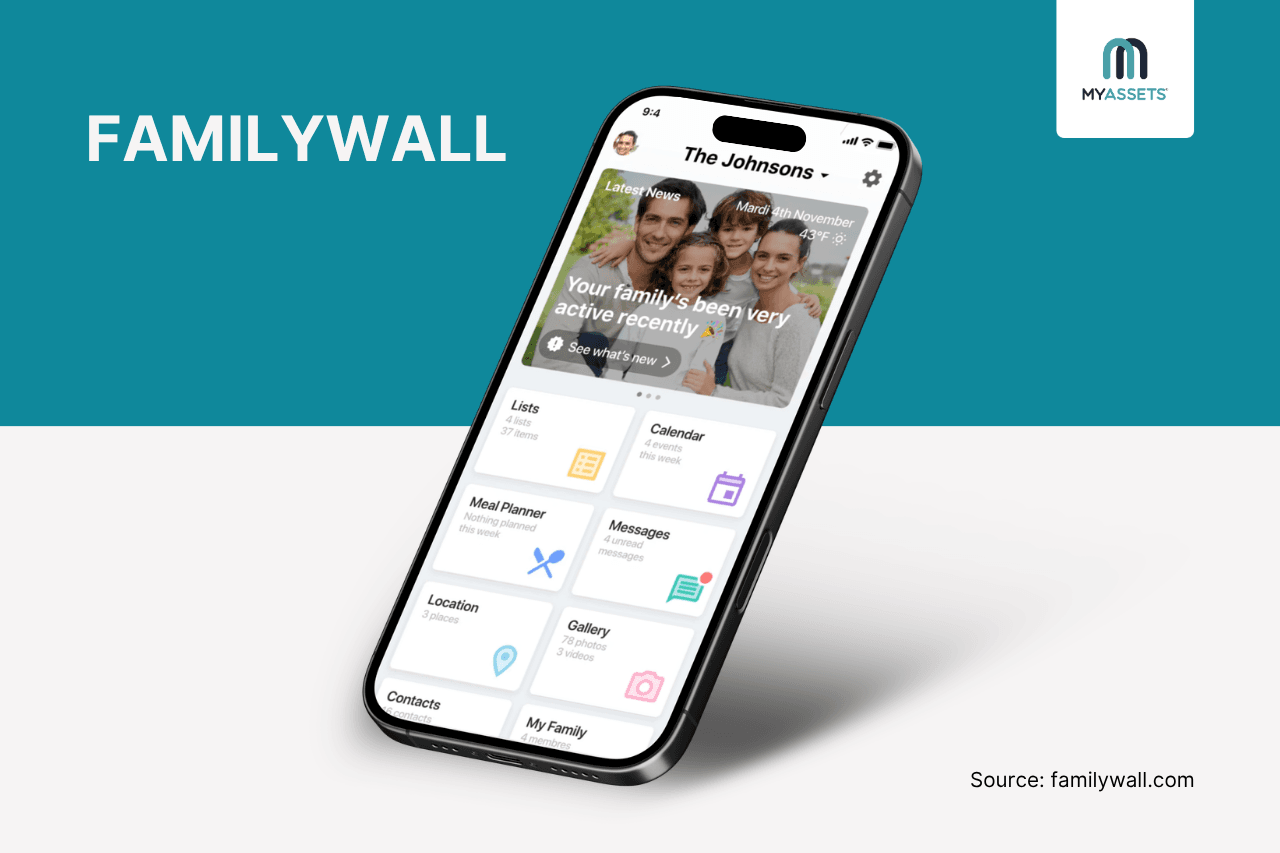
As a home organisation app, FamilyWall brings shared calendars, collaborative lists, document sharing, finance tracking, meal planning and messaging in one platform. This lets households coordinate schedules, organise tasks, and manage everyday aspects of family life.
Pros
- Includes a shared budget tracker for managing household bills and everyday expenses.
- Offers advanced GPS location sharing and geofencing alerts for family members with a Premium plan.
- Provides a built-in chat where family members can communicate and coordinate directly within the app.
Cons
- Several advanced features require a premium plan, such as budget tracking, location tracking, calendar syncing, and more.
- Some users report occasional bugs, delayed notifications and syncing issues.
Free Plan: Yes
Starting Price: $4.99/month
5. Quicken LifeHub – for organising life information
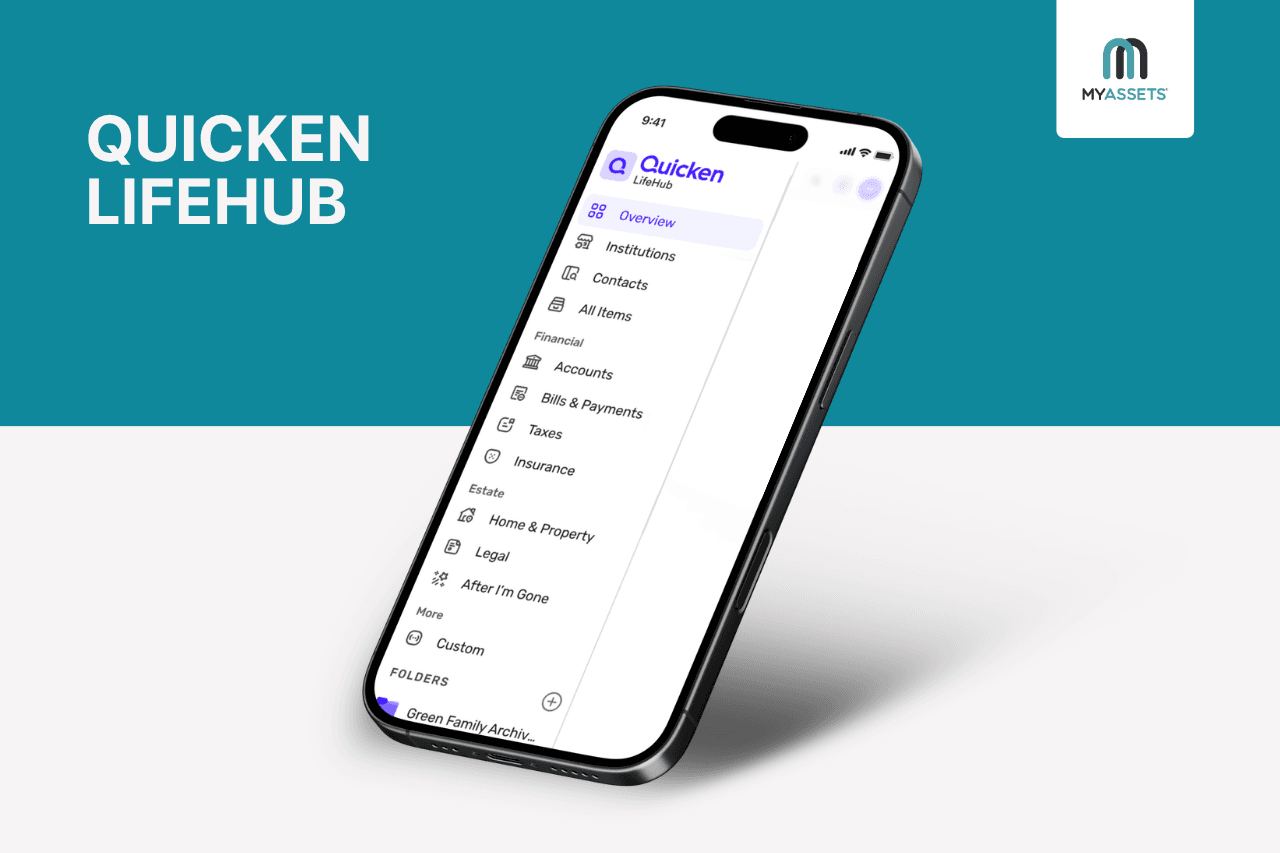
Quicken LifeHub is an app for organising life’s essential information, including financial records, legal documents, household details and personal information. It gives families a platform to manage and share important records, helping them stay prepared for everyday needs and significant life events.
Pros
- Provides an overview of reminders, upcoming tasks, document expirations and incomplete profile details in one dashboard.
- Offers structured checklists for major life events, including retirement, moving and estate planning, guiding users through the key tasks required for each milestone.
- Helps create individual profiles for family members, pets and properties. Each profile contains details like medical contacts, ID numbers, insurance information and registrations.
Cons
- Not all features are supported on mobile apps.
- Account syncing is limited to Quicken Classic and Quicken Simplifi.
Free Plan: None
Starting Price: $1.99/month
6. Morningmate – for integrating home admin with Google Workspace
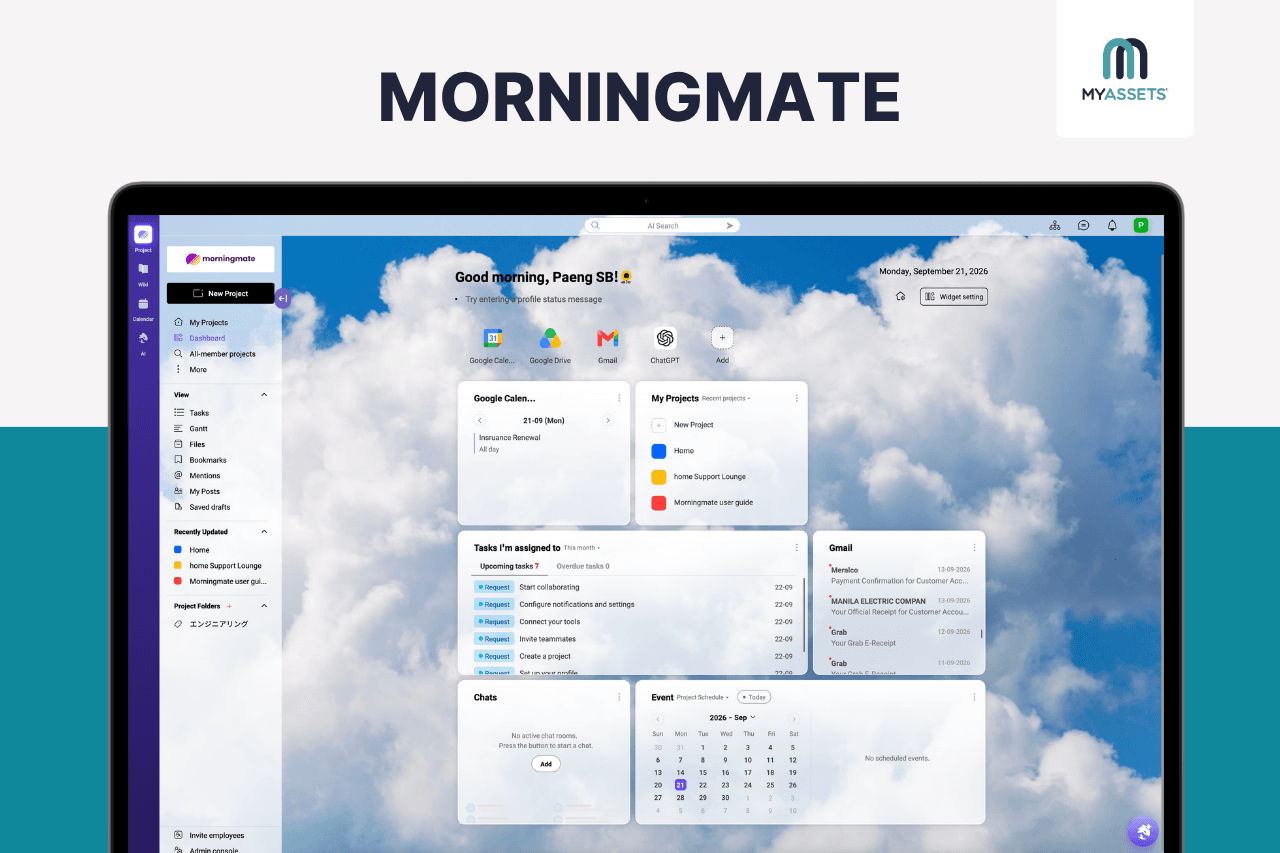
Morningmate is a project management platform that families can also use to organise and manage their homes. Its task management tools let users set priorities, track deadlines and monitor progress, while integrations with Google Workspace, like Google Calendar, help sync schedules and appointments.
Together, these features provide a centralised way to coordinate household tasks and schedules.
Pros
- Brings emails, such as bills, booking confirmations and service reminders, into view, so users can create tasks based on them.
- Gives family members a central place to assign responsibilities, share updates and track progress.
- Helps create and assign tasks for home maintenance, bill payments, appointments and other household responsibilities.
Cons
- Its team-focused features may be more than a household needs for everyday home management.
- Lacks features for managing household budgets, expenses and financial accounts.
Free Plan: Yes (add up to 5 projects)
Starting Price: $8.99/month
7. Emma – for household budgeting and expense tracking
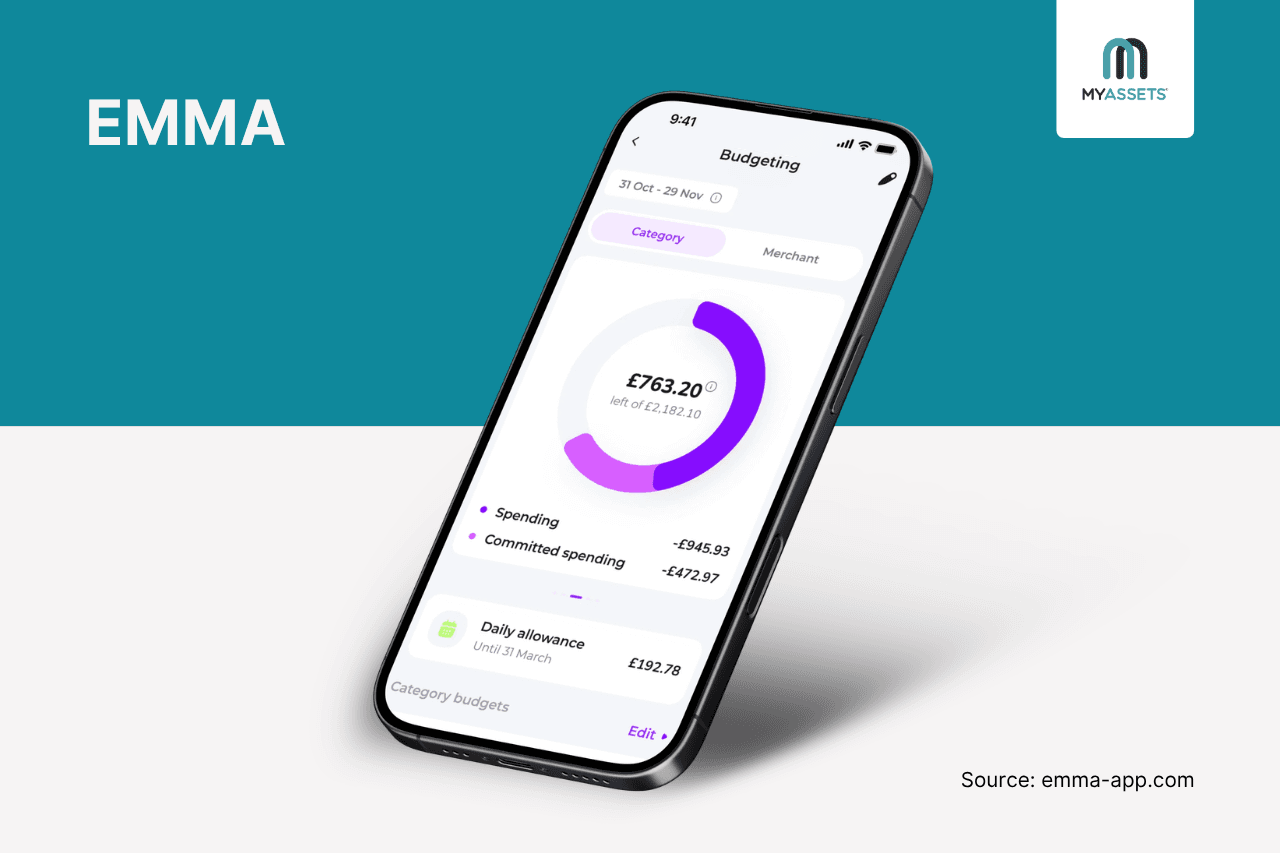
Emma is a budgeting and personal finance app that supports household budgeting by bringing bank accounts, credit cards and other financial accounts into one app. It automatically imports transactions and balances, allowing users to track household spending and set budgets.
Pros
- Allows users to set category-specific budgets for expenses such as groceries, transport and entertainment.
- Enables families to create shared budgets and track communal spending alongside personal finances.
- Helps track recurring bills and subscriptions and view committed spending.
Cons
- Centred on budgeting and financial management.
- Its banking connections and financial features are primarily designed for UK households.
Free Plan: Yes (with 2 bank logins)
Starting Price: £3.49/month
8. Cozi Family Organizer – for meal planning and grocery shopping
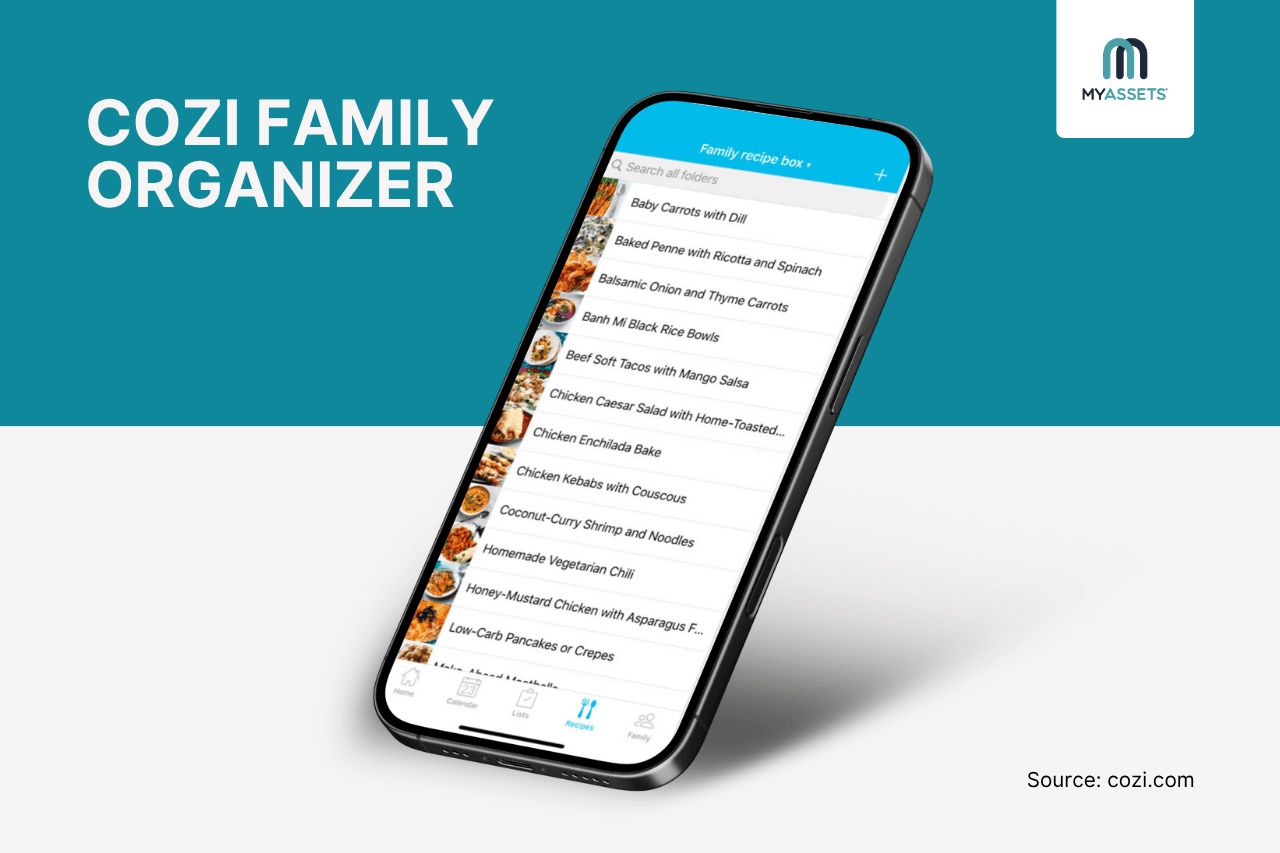
From shared calendars and to-do lists to grocery lists and meal planning, Cozi brings family organisation into one app. It helps households coordinate schedules, manage tasks and plan meals together.
Pros
- Enables users to import a recipe from a website and automatically save its ingredients, directions, source and description within the platform.
- Lets users add ingredients from saved recipes directly to a grocery list, helping streamline meal planning and shopping.
- Syncs with Google, Outlook and Apple Calendar, allowing Cozi events to appear in external calendars for a consolidated view of schedules.
Cons
- Focuses on schedules, tasks, shopping and meals.
- Only calendars, lists and the recipe library are available on the free plan.
Free Plan: Yes
Price: $39/year
9. Clutterfree – for home decluttering
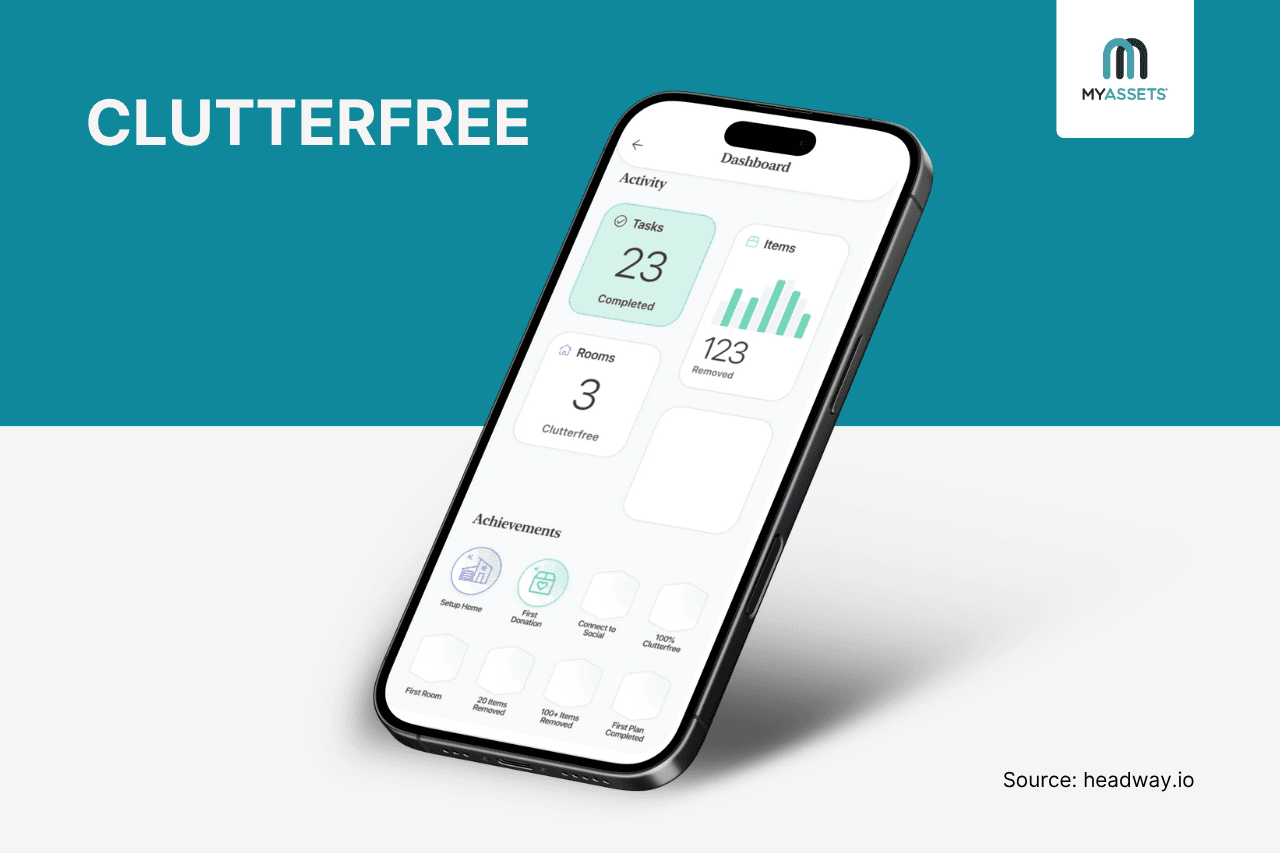
Need help clearing a cluttered home? Clutterfree is a decluttering app that provides expert tips and guidance to organise users’ spaces. It allows them to follow a structured decluttering plan, track their progress and stay motivated as they work through each area of the home.
Pros
- Clutterfree creates a personalised cleaning order based on difficulty, using the home layout and difficulty ratings provided by users.
- Provides tools to record donations, track decluttered items and capture before-and-after photos.
- Receive daily tasks and short checklists of 10–12 items per room to stay motivated.
Cons
- Only available on mobile.
- Some users have experienced occasional bugs while using the app.
Free Plan: No, but offers a 14-day free trial.
Price: $3.99/month
See Also: How to Let Go of Sentimental Items: Decluttering Tips
10. Any.do – for to-do lists and reminders
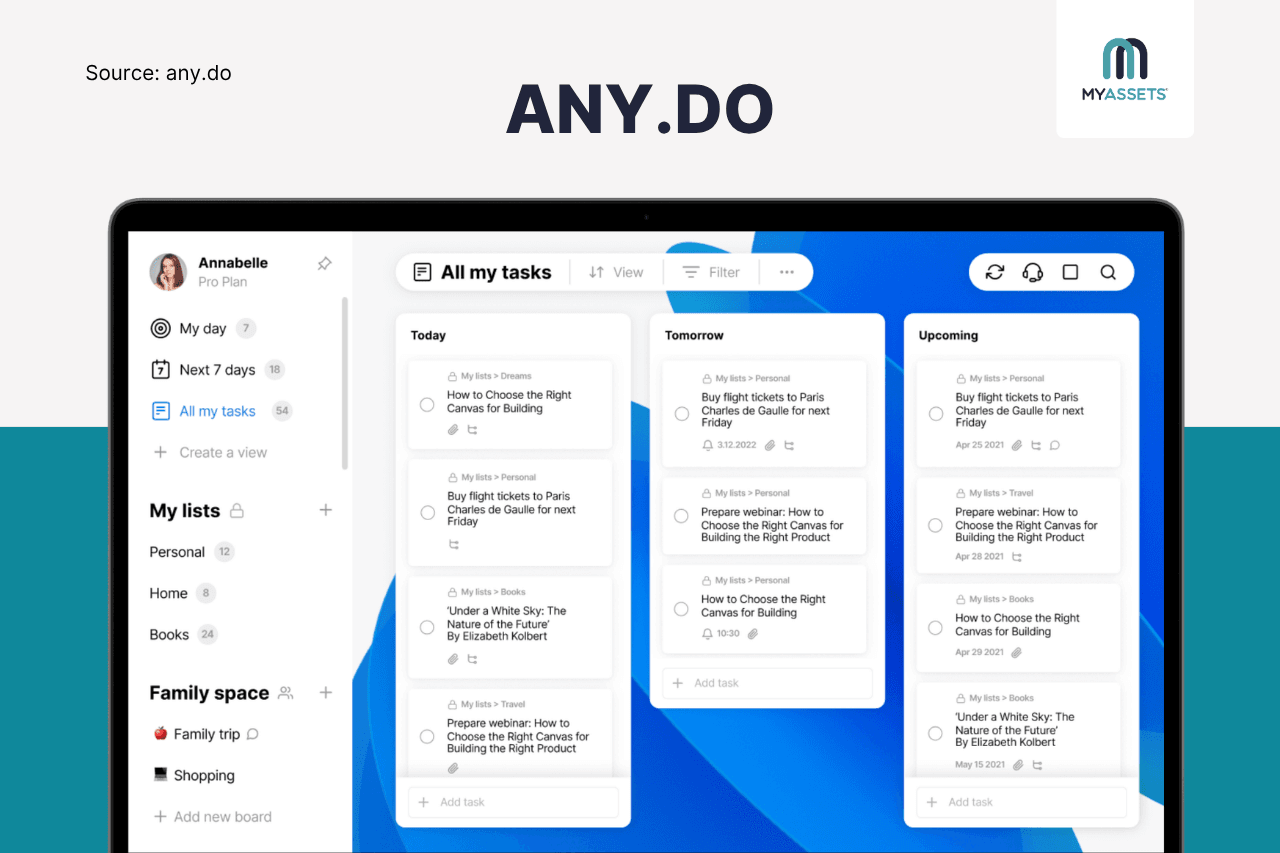
A life admin app that simplifies task management is Any.do, offering to-do lists to organise and prioritise tasks, reminders to ensure tasks get done, and calendars to manage schedules.
Pros
- Combines tasks and calendar events in one view, helping users plan their day.
- Organises grocery lists by aisle, making shopping trips easier to navigate.
- Sends location-based reminders when users arrive at or leave a specific location, such as reminding them to pick up groceries when they are near the store.
Cons
- Family plan is capped at four members, which may not suit larger households.
- Useful features like location reminders are unavailable on the free plan.
Free Plan: Yes
Starting Price: $4/month
Bring Home Management And Admin Life Into One App
Behind every completed household task is the invisible labour of life admin. It is the mental planning, organising, and coordinating that precedes paid bills, booked appointments, and renewed insurance.
To bring structure to this unseen effort, the best life admin apps provide a dedicated space to externalise these invisible details, allowing individuals to document information, delegate responsibilities, and automate routine tasks.
Among the many life admin apps available, some are designed specifically for household management, while others focus on particular areas like finances, documents, scheduling, or task management. This includes:
- Best for renewals and insurance claims: Roost
- Best for home and document administration: Lyfeguard
- Best for managing family assets: MyAssets
- Best for calendar, messaging, and location tracking: FamilyWall
- Best for organising life information: Quicken LifeHub
- Best for integrating home admin with Google Workspace: Morningmate
- Best for household budgeting and expense tracking: Emma
- Best for meal planning and grocery shopping: Cozi Family Organiser
- Best for home decluttering: Clutterfree
- Best for to-do lists and reminders: Any.do
Together, these apps cover different aspects of life admin, from keeping household finances and documents organised to managing schedules, reminders and everyday responsibilities.
Ultimately, selecting the best life admin app comes down to which areas of home management need the most organisation and support in order to maximise every feature that each platform offers.
Home Life Admin: Frequently Asked Questions
1. What are the best life admin apps?
The best life admin app depends on the areas of home life that need the most support: Emma suits households focused on budgeting, MyAssets provides access to comprehensive asset information, while Clutterfree supports those focused on decluttering their space.
2. What are some common household management tasks?
Common household management tasks include paying bills, managing finances, scheduling appointments, renewing insurance, maintaining the home, organising documents, planning meals, shopping for groceries, and completing household chores.
3. How do I manage my household?
A household can be managed by organising finances, documents, schedules, maintenance, recurring payments and everyday tasks in one structured system.
MyAssets: Keeping Your Home Assets in Order
Navigating the intricacies of life admin, from tracking household assets to organising important documents, can often feel like a constant battle against chaos. With so many details to track, it raises the question: is there a way to bring everything together?
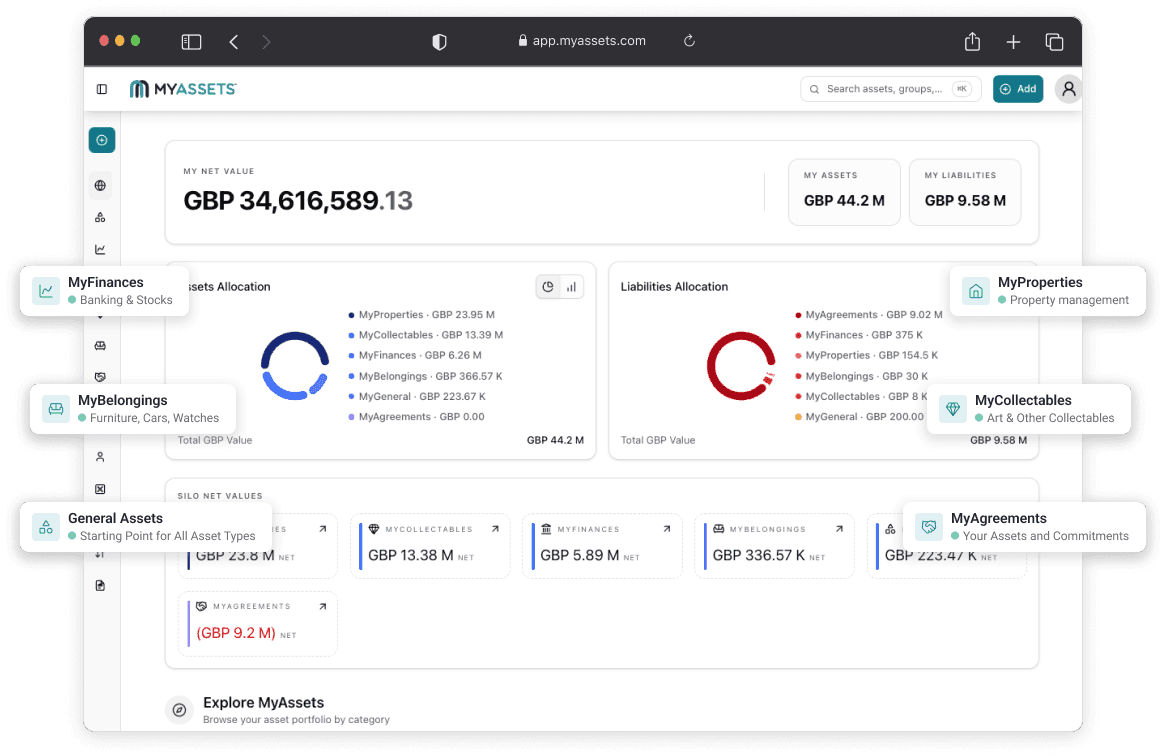
Introducing MyAssets, a complete asset management platform designed to organise all your assets across six categories in one place:
- MyFinances: connect bank accounts, monitor investments, and track financial assets.
- MyProperties: view macro- and micro-level property details, including locations, associated assets, liabilities, and net value.
- MyCollectables: organise, track, and monitor the value of collections across different collectable types.
- MyBelongings: track belongings, such as jewellery, furniture, cars, etc., and their locations.
- MyAgreements: organise and link loans, mortgages, rental leases, and insurance policies as Agreements on the platform.
- General Assets: add tangible assets to the platform without sorting into existing categories.
Together, MyAssets create a structured view of everything owned and owed, from the overall portfolio down to individual details.
Your Complete Net Worth, All in One View
Imagine having your entire household net worth summarised in one dashboard. MyAssets’ Global Dashboard provides a high-level overview of your wealth, breaking it down into clear sections that show assets versus liabilities, net value by category and total net worth.
For life admin, this eliminates the hassle of manually pulling balances and asset values from separate spreadsheets and accounts, replacing fragmented records with complete financial clarity.
Connect Contacts to Assets
Keeping track of who manages, owns or is connected to a particular asset can become another layer of life admin.
MyAssets’ Address Book helps keep these relationships organised by allowing users to upload contacts and link them directly to any asset entry. This makes it efficient to identify the right people for each asset and keep relevant contact information alongside the asset details.
Keep Your Assets and Life Admin Connected. Try MyAssets for FREE.