

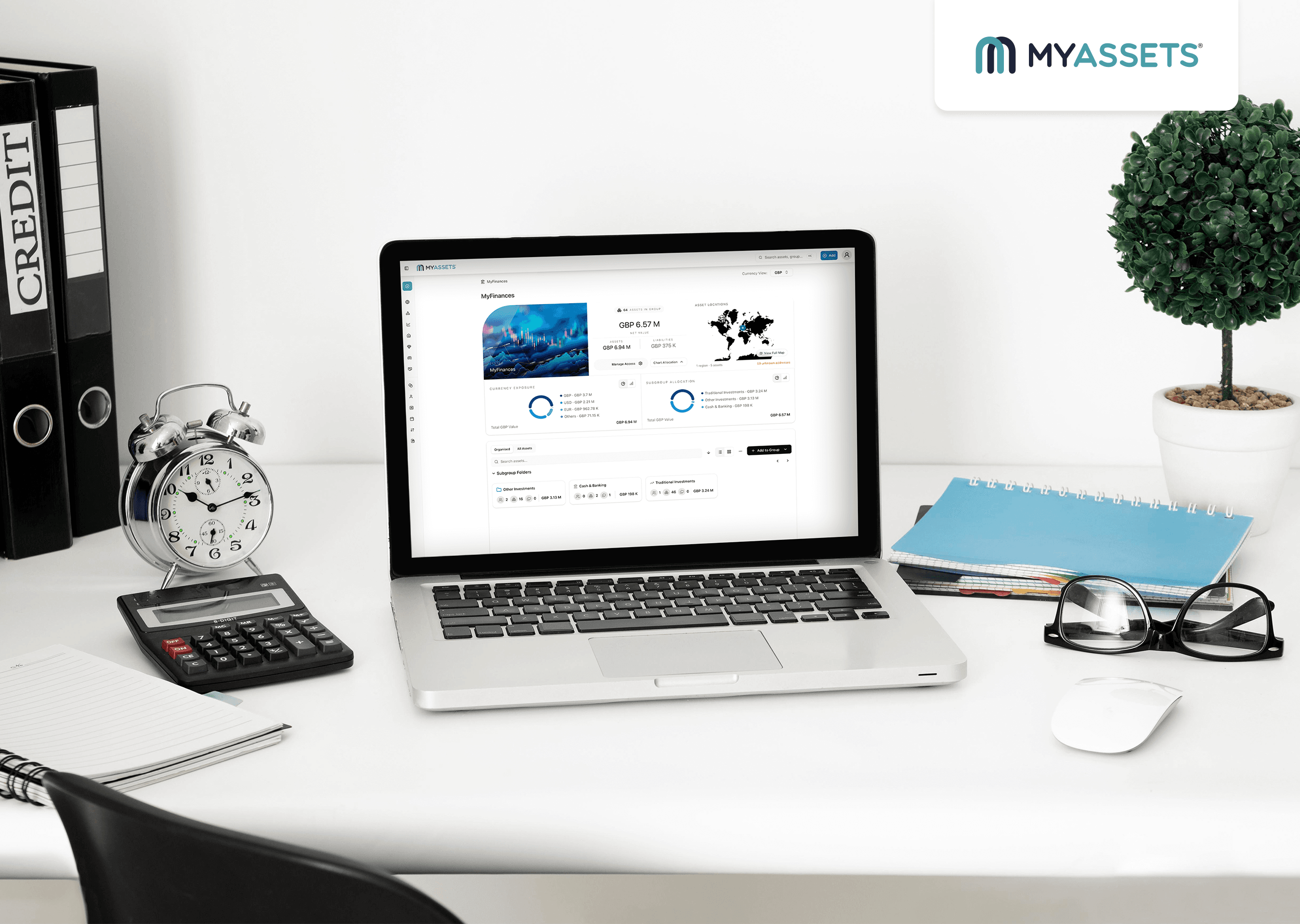
Today's challenge isn't a lack of financial data; it's making sense of it. As financial information becomes more extensive and complex, relying on disconnected accounts can make it difficult to gain a complete financial picture. From tracking savings balances in one app to checking investment portfolios in separate brokerage accounts, getting financial reporting often requires switching between multiple apps and statements.
Fortunately, it doesn’t have to be this way. The best personal finance dashboards solve this by consolidating, analysing, and visualising financial information in an easy-to-understand view, transforming fragmented data into meaningful insights.
The benefits go beyond convenience. An experimental study by Hjelle et al. found that dashboards that present complete, up-to-date, and well-organised information help users make better decisions by reducing the mental effort required to interpret data. In other words, a dashboard's value lies not in the visualisation itself, but in making information easier to understand and act on.
Interested in learning more? This article explores what financial dashboards are, the essential features to look for, and the personal finance dashboard apps available today, comparing their strengths to help you choose the right solution for your financial goals.
- What Is a Personal Finance Dashboard?
- Key Features to Look For in the Best Personal Finance Dashboard
- Personal Finance Dashboard Apps: 7 Tools Compared
- Choosing the Best Example of Financial Dashboard: Which Platform Fits Your Needs?
- Dashboard in Finance: Frequently Asked Questions
What Is a Personal Finance Dashboard?
A personal finance dashboard is a centralised interface that brings together financial information from multiple accounts and asset classes into a single view. By consolidating, organising, and visualising data such as:
- Alternative assets
- Bank accounts
- Investments
- Loans
- Real estate
- Retirement savings
It provides a comprehensive overview of an individual's financial position, making it efficient to monitor wealth, track financial progress, and manage their finances.
To streamline financial management, most personal finance dashboards also include features such as:
- Asset allocation
- Cash flow monitoring
- Debt tracking
- Investment performance tracking
- Net worth tracking
- Spending Insights
In this way, a personal finance dashboard goes beyond simply displaying financial data. It connects the pieces of an individual's financial life into one complete picture, helping identify trends, uncover opportunities, and make more confident financial decisions.
Key Features to Look For in the Best Personal Finance Dashboard
The best personal finance dashboard goes beyond displaying account balances. It should provide the tools needed to monitor wealth, track financial progress, and gain a complete financial overview. Here are the essential features to consider.
Net Worth Tracking
Many individuals measure personal financial success by the value of their assets, but assets alone don't reflect overall wealth. A complete financial picture also includes liabilities, making net worth a more accurate indicator of financial standing.
That's why net worth tracking is an essential feature of a finance saas dashboard. By automatically calculating the difference between total assets and liabilities, it provides a real-time snapshot of overall wealth, enabling users to monitor financial progress and evaluate their true financial position.
Financial Account Aggregation
As the number of financial accounts grows, manually collecting and maintaining financial data across different platforms becomes increasingly inefficient.
A dashboard with financial account aggregation automatically imports and updates financial data from connected accounts, saving time while ensuring financial information remains current.
See Also: Net Worth Aggregators Explained: Simplify Money Tracking
Interactive Charts and Graphs
Rows of financial data often lack the visual context needed to identify trends, compare performance, and understand overall financial health.
A personal finance dashboard with interactive charts and graphs transforms complex financial data into visual insights. Instead of relying on rows of numbers, it presents key metrics through visual formats, including:
- Bar graphs for comparing financial metrics across categories
- Line charts for tracking changes and trends over time
- Pie charts for showing portfolio or asset allocation
By seeing financial information in these formats, users can identify patterns, compare performance, and make more informed financial decisions.
Financial Report and Data Export
Manually preparing financial summaries can be repetitive and prone to inconsistencies, particularly for individuals managing multiple accounts and asset classes.
A personal finance dashboard with a financial reporting tool generates comprehensive reports by organising and summarising financial data stored within the platform. It also allows users to export reports in multiple formats, making it straightforward to analyse financial performance, share information with advisors or accountants, and create backup copies of financial records.
Personal Finance Dashboard Apps: 7 Tools Compared
The best personal finance dashboard depends on your financial goals and the features you value most. Here's a comparison of seven personal finance dashboard apps to help you identify the platform that best suits your needs.
1. Worth It
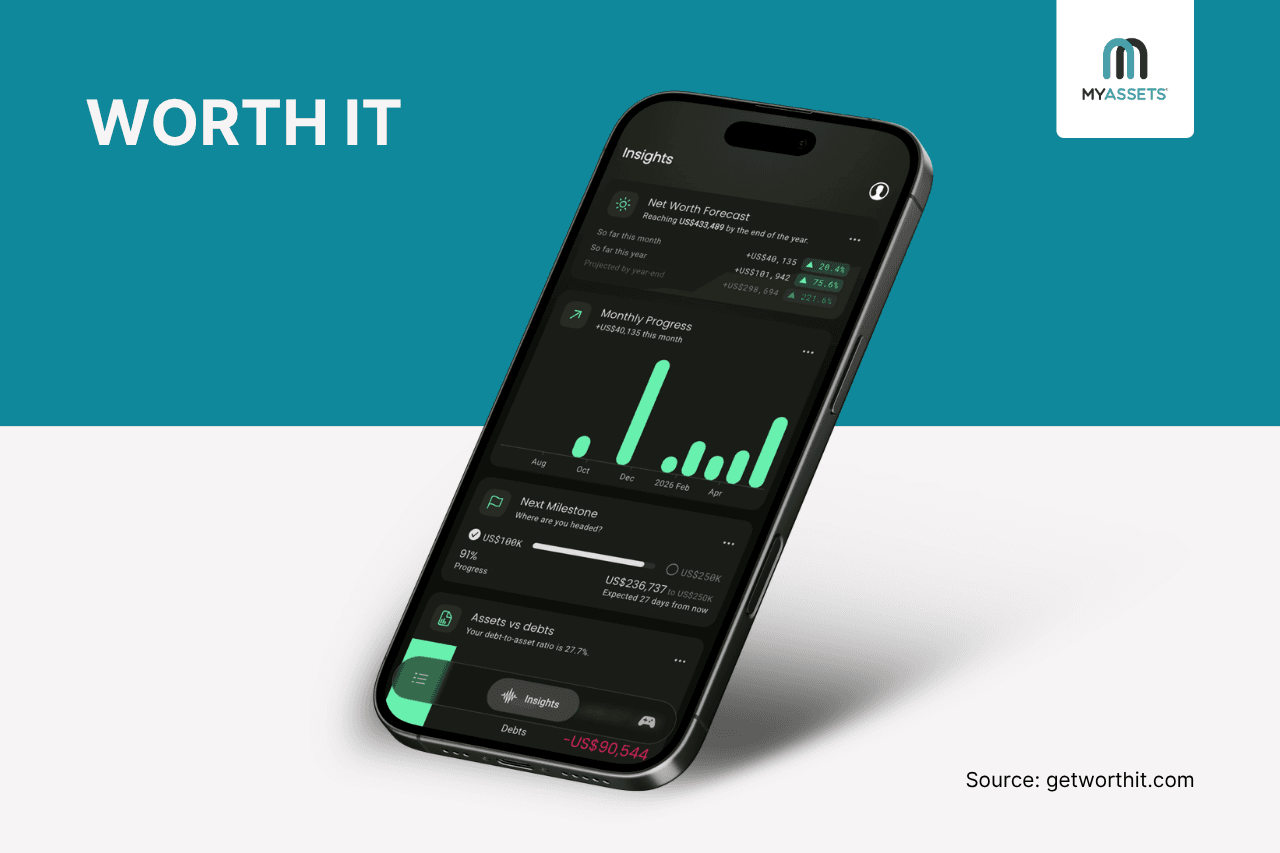
Primarily a net worth tracker, Worth It provides a financial performance dashboard that consolidates assets and liabilities into a single view. It displays total net worth, breaks down wealth by asset category, and tracks monthly changes, giving users a clear overview of their financial position over time.
Pros
- Enables users to filter accounts and assets for targeted performance tracking and historical analysis.
- Supports a wide range of asset and liability types, including real estate, investments, pensions, cryptocurrencies, savings, and outstanding debts.
Cons
- Focused primarily on net worth tracking, with limited support for budgeting, bill management, and automatic account aggregation.
- Relies on manual maintenance to keep account balances, market values, and portfolio growth up to date.
Free Trial: Yes - 7 days
Starting Price: $4.99/month
2. MyAssets
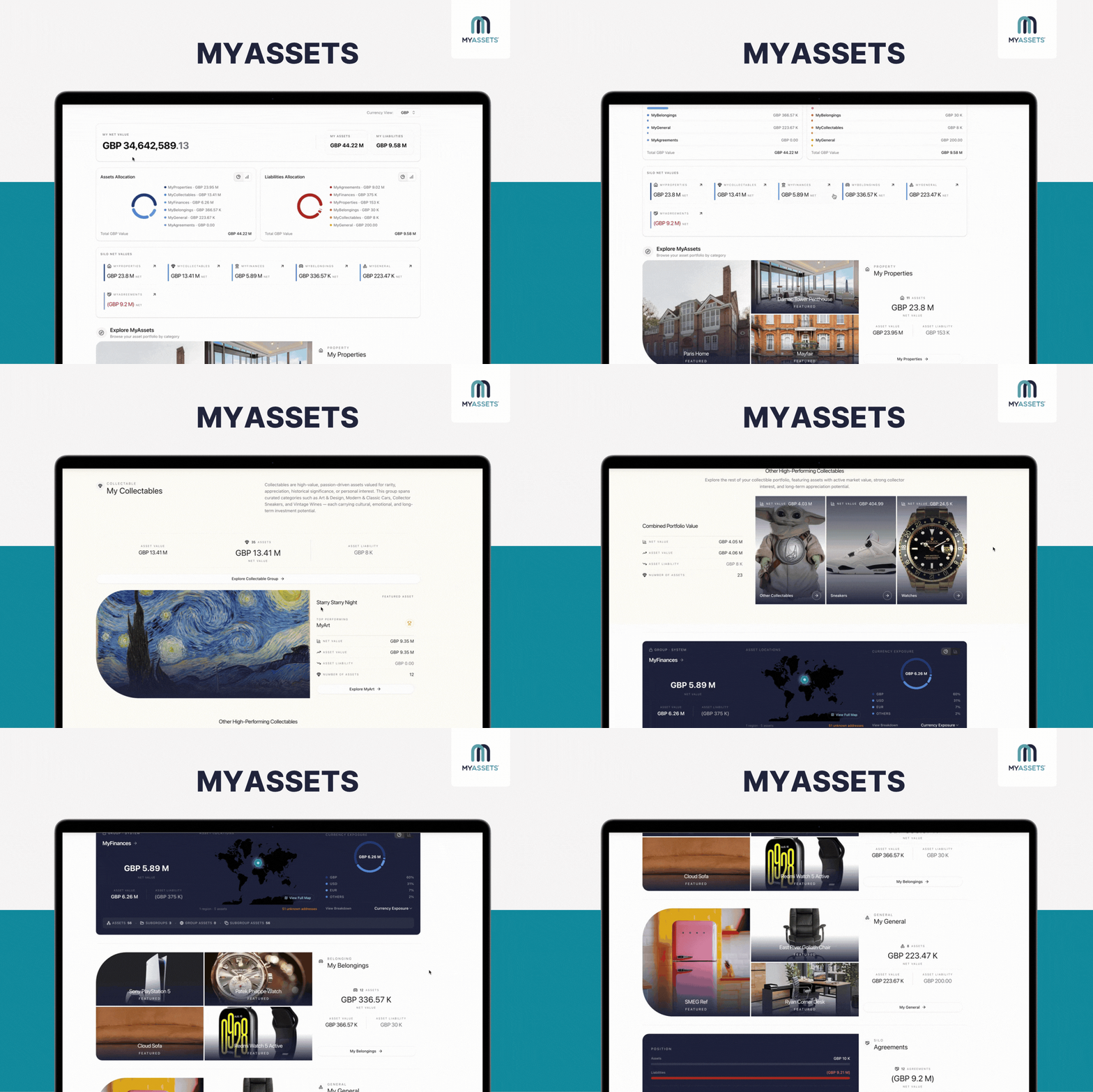
MyAssets is an asset management platform that provides a global dashboard summarising asset data across categories, such as finances, properties, collectables, and belongings.
It delivers a high-level overview of wealth by showing total net worth, whilst visualising asset allocation, liability allocation, and net values across asset classes, helping users understand portfolio composition and monitor their overall financial position from a single view.
Pros
- Allows users to import and export financial data, making it efficient to migrate records, create backups, and share information across platforms.
- Enables users to drill down from the Global Dashboard into System Groups for more detailed asset insights.
- Supports both automatic bank syncing and manual financial data entry, allowing users to choose their preferred tracking method.
Cons
- Other advanced options are still being rolled out, but ongoing development suggests strong future potential.
- Lacks a native mobile app, requiring users to access the platform through a mobile browser.
Free Trial: No, but it offers a free plan
Starting Price: $25/month
3. Buxfer
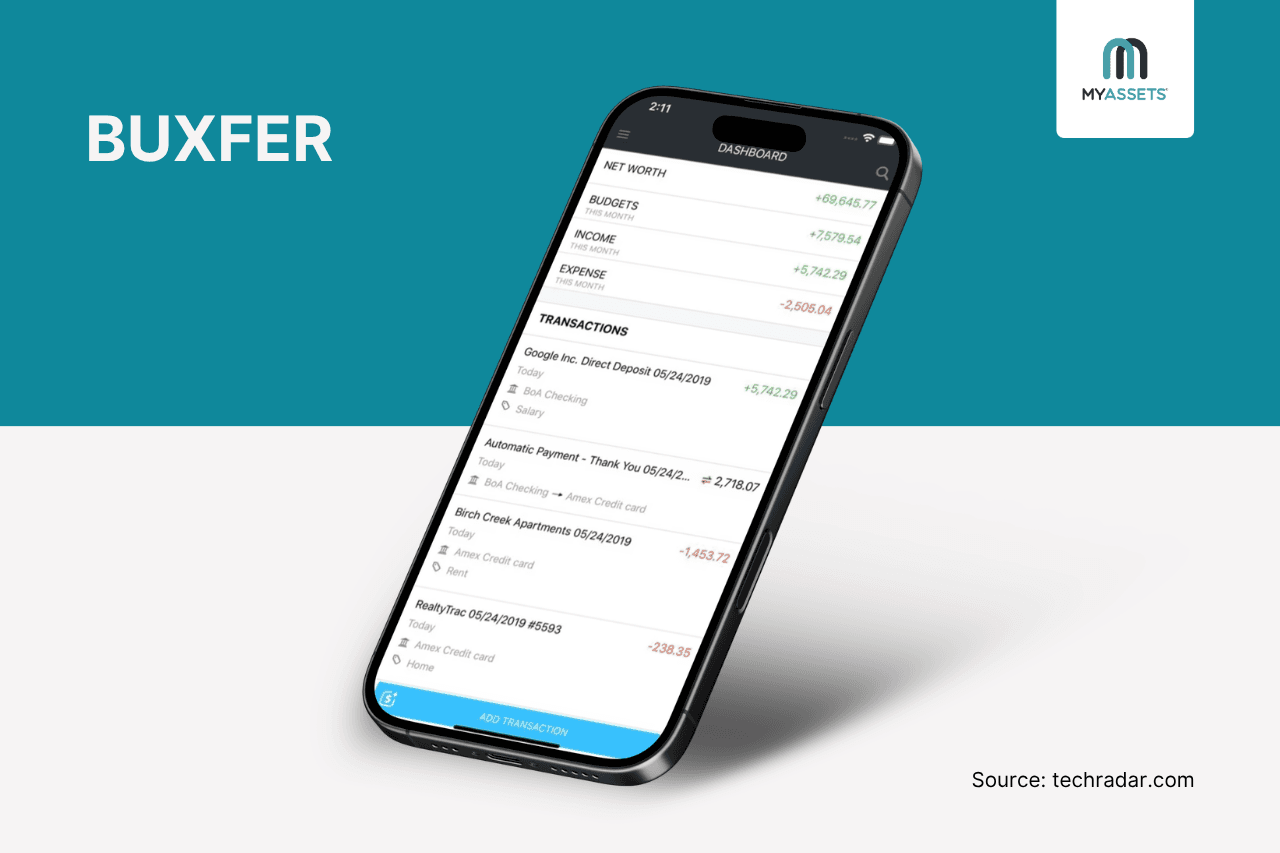
Buxfer is a personal finance app that aggregates financial data from over 20,000 institutions into a single platform. Its interactive personal finance dashboard serves as the central hub for managing personal finances, allowing users to access insights, budgets, forecasts, and more.
Pros
- Allows users to customise their dashboard by selecting the sections they want to display.
- Its forecast dashboard shows an estimate of future spending, income, and account balances by analysing historical spending patterns, upcoming transactions, and budgets.
Cons
- Provides limited support for tracking alternative assets compared with dedicated wealth tracking platforms.
- The depth of features may take time for new users to learn and navigate.
Free Trial: No, but offers a 14-day money-back guarantee
Starting Price: $9.99/month
4. HeirWealth
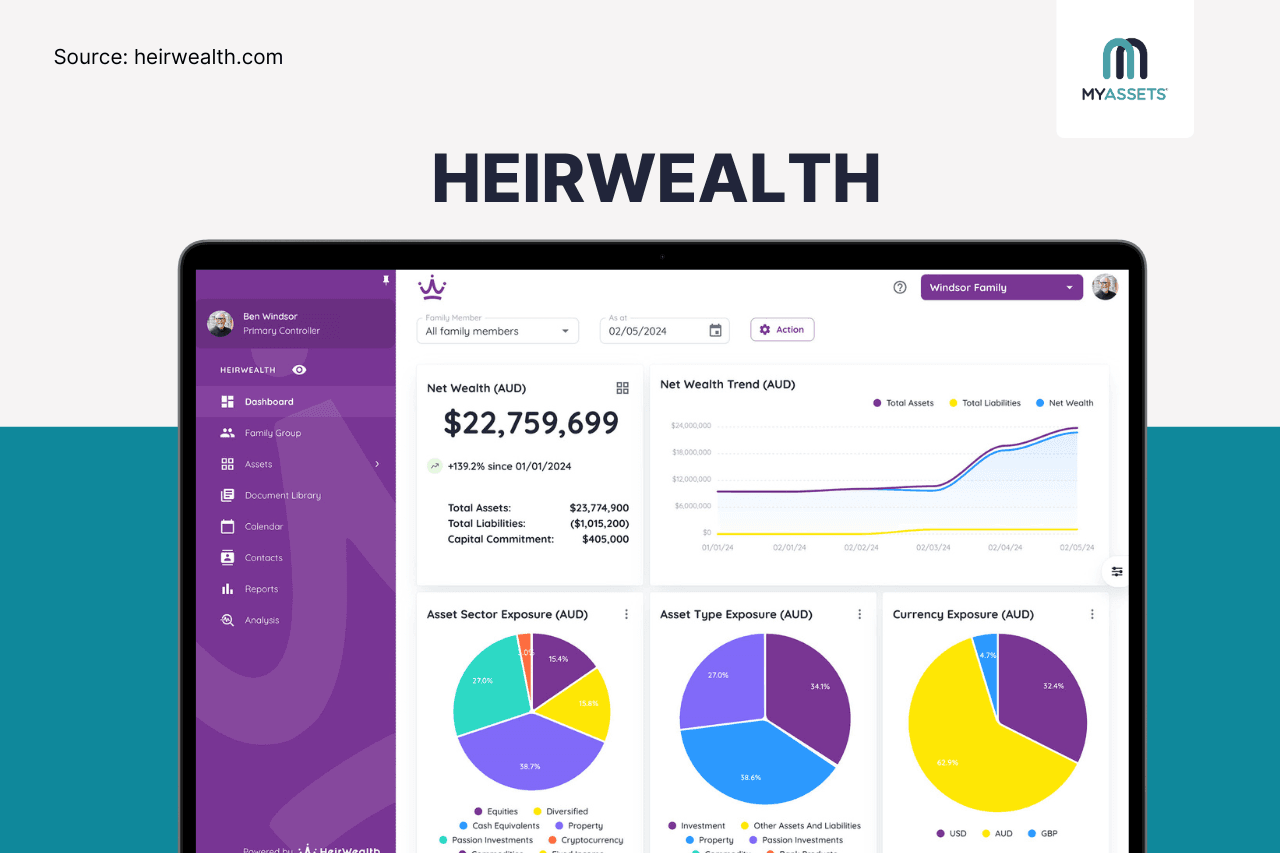
HeirWealth is a wealth management platform that provides a unified dashboard for tracking assets and liabilities across over 40 asset classes. It shows a breakdown of asset type exposure and sector allocation, enabling users to analyse diversification, monitor portfolio performance, and gain a complete wealth overview.
Pros
- Associates Xero cash transactions with individual assets, making asset records easier to capture and maintain.
- Provides daily valuations for more than 150,000 global financial instruments across 170 currencies through native integrations with Xero and Open Banking providers.
Cons
- Bank connectivity is optimised for Australia and the UK, with limited native support for users in other countries.
- Does not offer standard subscription pricing; users must request a custom quote.
Free Trial: None
Starting Price: Undisclosed
5. PocketSmith
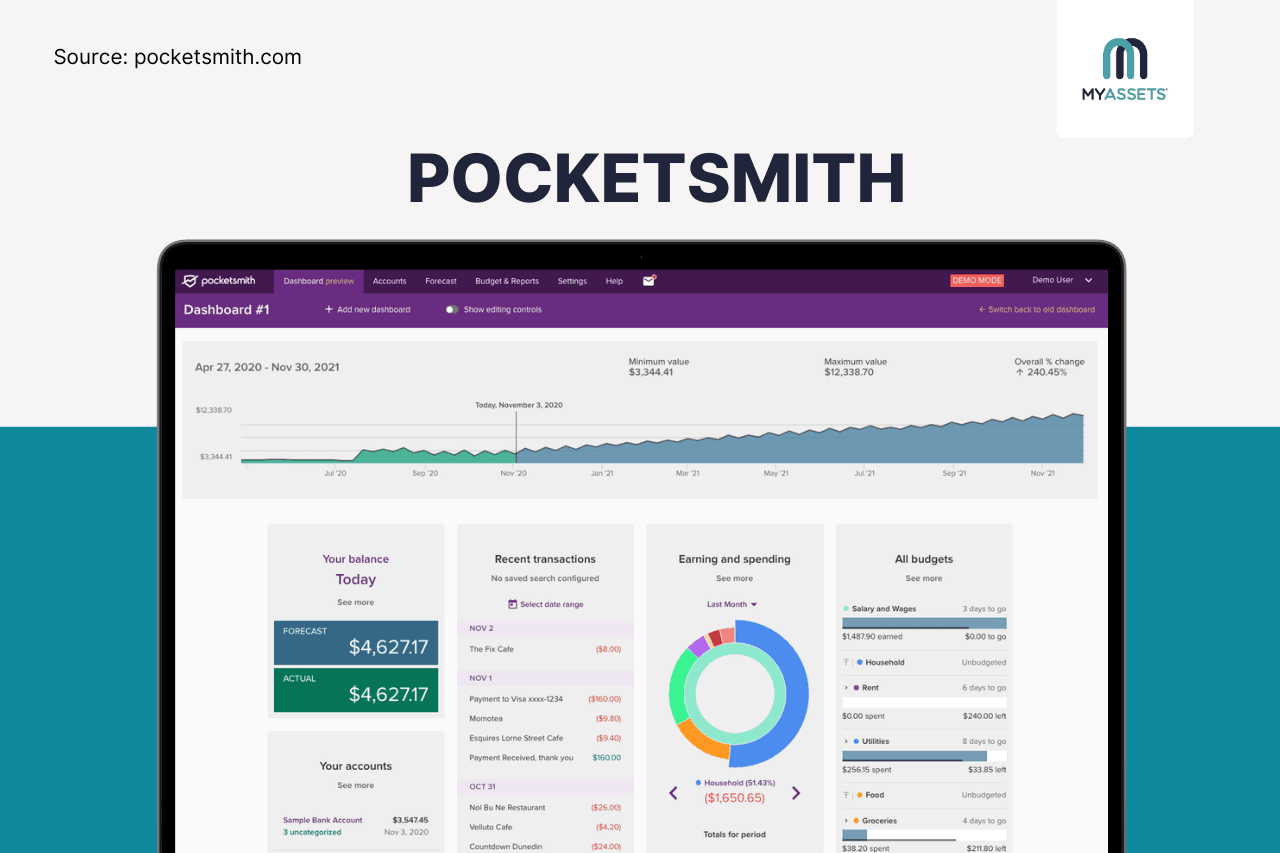
PocketSmith is a personal finance software offering a customisable dashboard that summarises financial information in a single view. It allows users to create multiple dashboards tailored to different financial priorities, such as daily spending, loan repayment progress, or investment performance, making it easier to access insights relevant to their financial objectives.
Pros
- Includes pre-built dashboard templates that simplify setup for common financial scenarios.
- Offers drag-and-drop widgets (i.e., balance graph, account list, bill reminder, total balance) for creating personalised financial overviews.
Cons
- Dashboard limits vary by subscription plan, with unlimited dashboards reserved for premium tiers.
- Users who primarily budget on mobile may find the app less comprehensive than the web interface.
Free Trial: None, but offers a free version
Starting Price: $29/year
Read More: Powerful Apps to Take Control of Personal Asset Management
6. Navexa
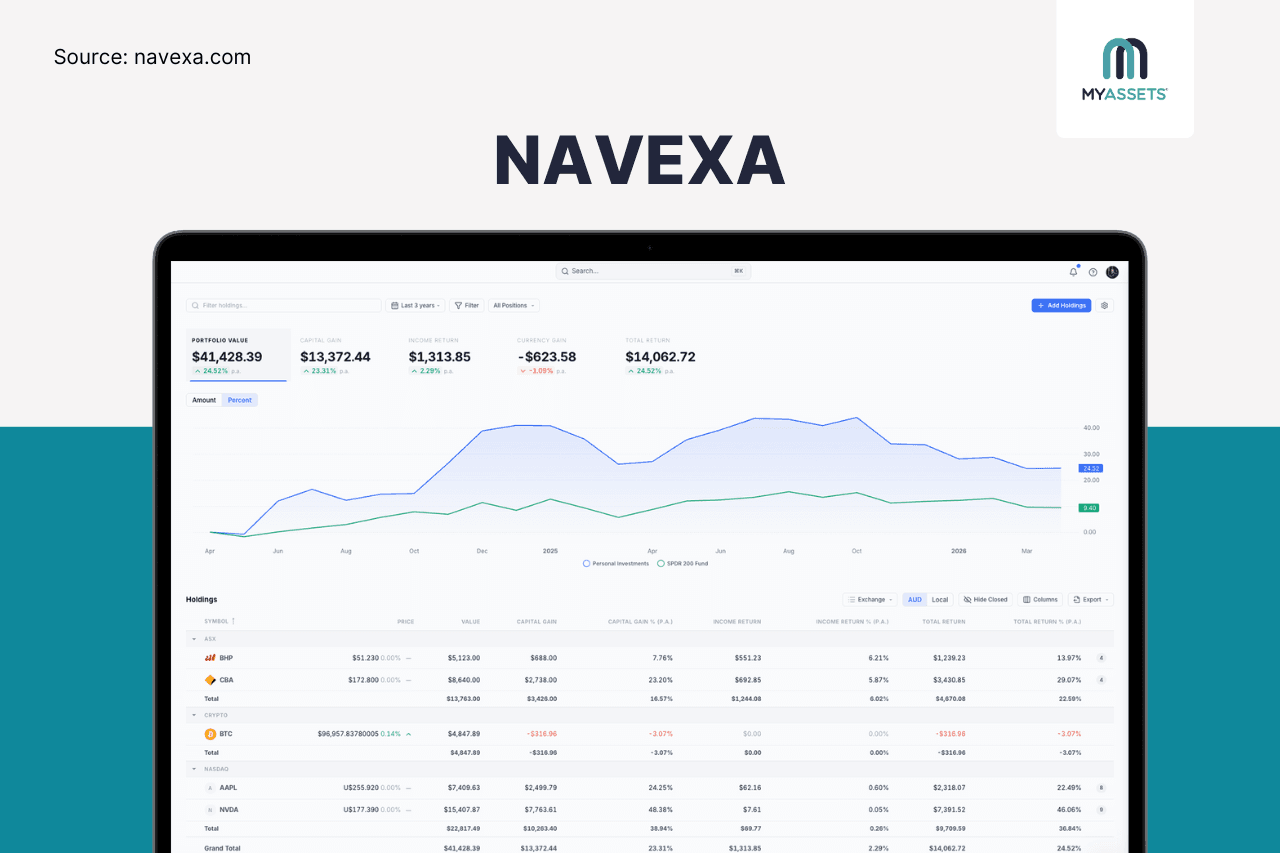
Navexa is a portfolio-tracking platform that integrates with more than 50 global exchanges to monitor investments in stocks, ETFs, and cryptocurrencies. Its main dashboard highlights key portfolio metrics, such as portfolio value, capital gain, and total return, providing a summarised view of investment performance over selected time periods.
Pros
- Features built-in capital gains tax calculators and dividend tracking, including dividend reinvestment plans for tracking returns and preparing tax reports.
- Tracks stocks, ETFs, and more than 7,000 cryptocurrencies from a single dashboard.
Cons
- Broker integration coverage varies by platform and region.
- Users may need time to utilise the platform's advanced tax and reporting features fully.
Free Trial: Yes - 14 days
Starting Price: $10/month
7. NetPlan
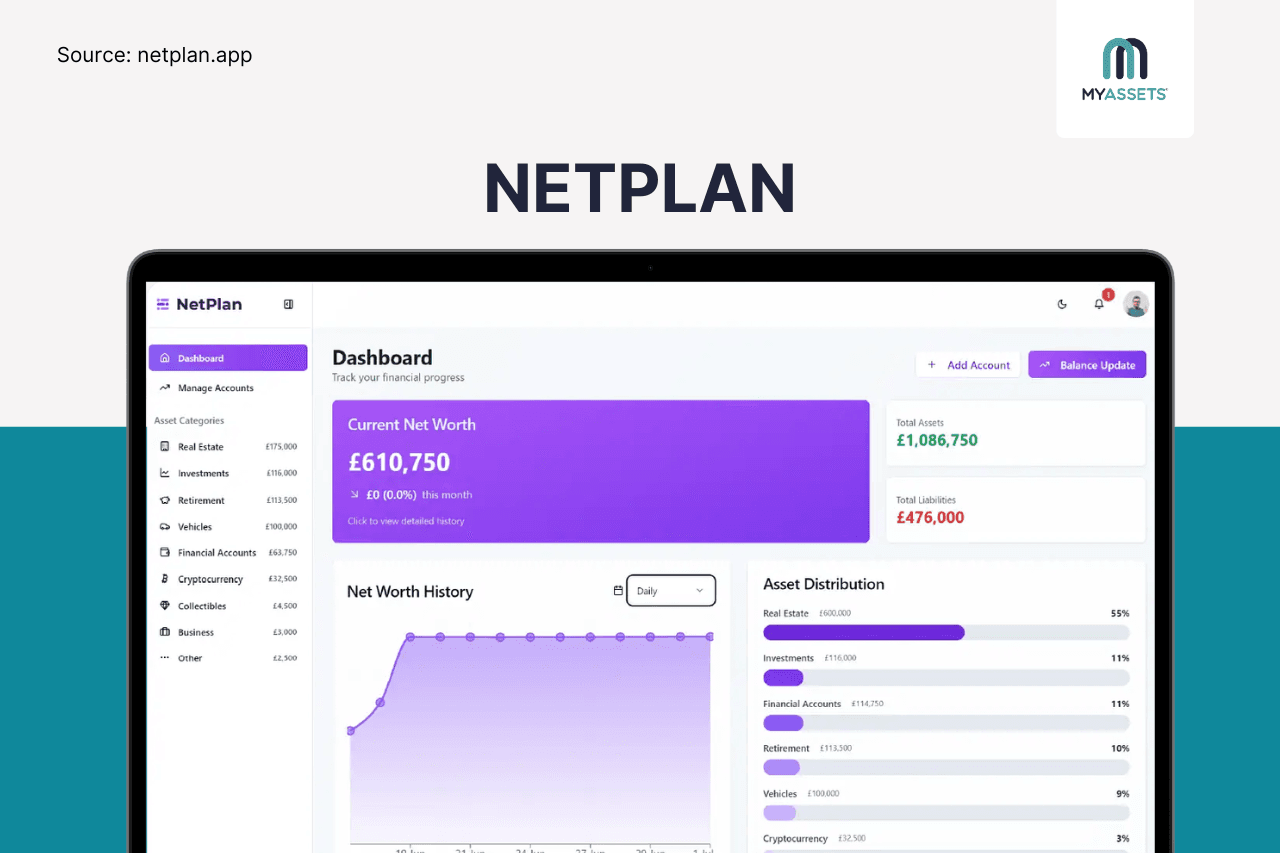
NetPlan is a manual-first net worth tracking app that offers a centralised dashboard for monitoring overall wealth without connecting to bank accounts. As users manually add and update financial accounts, the dashboard automatically generates net worth trends, asset allocation charts, and portfolio insights, making it easier to understand their financial position.
Pros
- Delivers a straightforward dashboard experience for those seeking a simpler alternative to spreadsheets and complex finance apps.
- Enables users to import existing financial data and export records for backup, reporting, or migration.
Cons
- Frequent updates may become time-consuming for users with large or actively managed portfolios.
- Relies on manual data entry to maintain account balances, investments, and liabilities.
Free Trial: None
Starting Price: Free of charge
Choosing the Best Example of Financial Dashboard: Which Platform Fits Your Needs?
The best personal finance dashboard is the one that provides a complete and accessible view of one’s financial life.
Whether the priority is tracking net worth, aggregating accounts, monitoring investments, or managing a diverse portfolio of assets, the right platform should make financial information easier to understand and act upon.
The financial dashboard examples in this guide illustrate these differences.
- Worth It and NetPlan are best for individuals seeking straightforward net worth tracking.
- Navexa specialises in investment portfolio monitoring and performance analytics.
- HeirWealth and MyAssets focus on comprehensive asset and wealth management across diverse asset classes.
- Buxfer and PocketSmith provide broader personal finance capabilities by combining account aggregation with budgeting, cash flow tracking, and financial forecasting.
By comparing each platform's strengths, and limitations, individuals can identify the solution that best aligns with their financial goals, asset mix, and preferred level of automation.
Ultimately, a well-designed personal finance dashboard goes beyond consolidating data; it transforms fragmented financial information into a complete financial overview which supports confident decisions and long-term financial planning.
Dashboard in Finance: Frequently Asked Questions
1. What are dashboards in finance?
Dashboards in finance are interactive visual tools that consolidate key financial metrics into a single view. They transform complex financial data into intuitive charts, graphs, and indicators, providing a clear overview of financial health and enabling users to monitor performance and make informed decisions.
2. What is the 5-second rule for dashboards?
The five-second rule is a dashboard design principle stating that users should understand a dashboard's purpose and key information within five seconds. If they need to search, scroll, or spend time interpreting the data, the dashboard is not communicating information effectively.
3. How is a personal finance dashboard different from a budgeting app?
A personal finance dashboard provides a comprehensive overview of assets, liabilities, investments, and overall financial health, whereas a budgeting app primarily focuses on tracking income, expenses, and spending against a budget.
See Full Financial Picture with the MyAssets Dashboard
Presenting financial information in a clear, organised, and up-to-date manner helps you interpret data efficiently and make better-informed decisions. A dashboard supports this by transforming complex financial data into visual insights that are easier to understand.
MyAssets builds on this concept by providing a centralised hub that brings together assets, liabilities, and portfolio insights into a single view, giving users a comprehensive picture of their overall wealth.
How Does the MyAssets Global Dashboard Work
MyAssets is an asset management platform that uses interactive dashboards to drive better asset management. It does this by enabling you to:
- Gain summarised insights across finances, properties, collectables, belongings, and other assets.
- Understand the value of assets, liabilities, and net value across all categories on the platform.
- Explore assets in greater detail by selecting MyFinances, MyProperties, MyCollectables, or MyBelongings from the global dashboard.
- Switch between pie chart and bar graph views to analyse asset data.
- View assets, liabilities, net worth, and net value in different currencies.
Overall, the MyAssets dashboards provide a complete view of wealth, from portfolio-wide summaries to individual asset details.
Bring Structure to Your Portfolio with Organised Groups
What’s more? MyAssets offers System Groups which do more than display asset data; they also help organise assets into dedicated subgroup folders. This creates a more structured portfolio, making it efficient to locate assets, monitor specific collections, and manage similar holdings together.
For example, each asset category is divided into relevant System Groups and customisable subgroups:
- MyFinances: Cash and banking, traditional investments, cryptocurrencies, and other investments.
- MyProperties: Local properties and international properties.
- MyCollectables: Art, sneakers, watches, and other collectables.
- MyBelongings: Belongings in a primary residence, belongings in a rental property, and other personal possessions.
Essentially, organising assets into logical subgroups gives users a more structured portfolio, streamlining asset management, tracking, and reporting.
Ready to organise, track, and manage your assets in one platform? Try MyAssets for free.



